

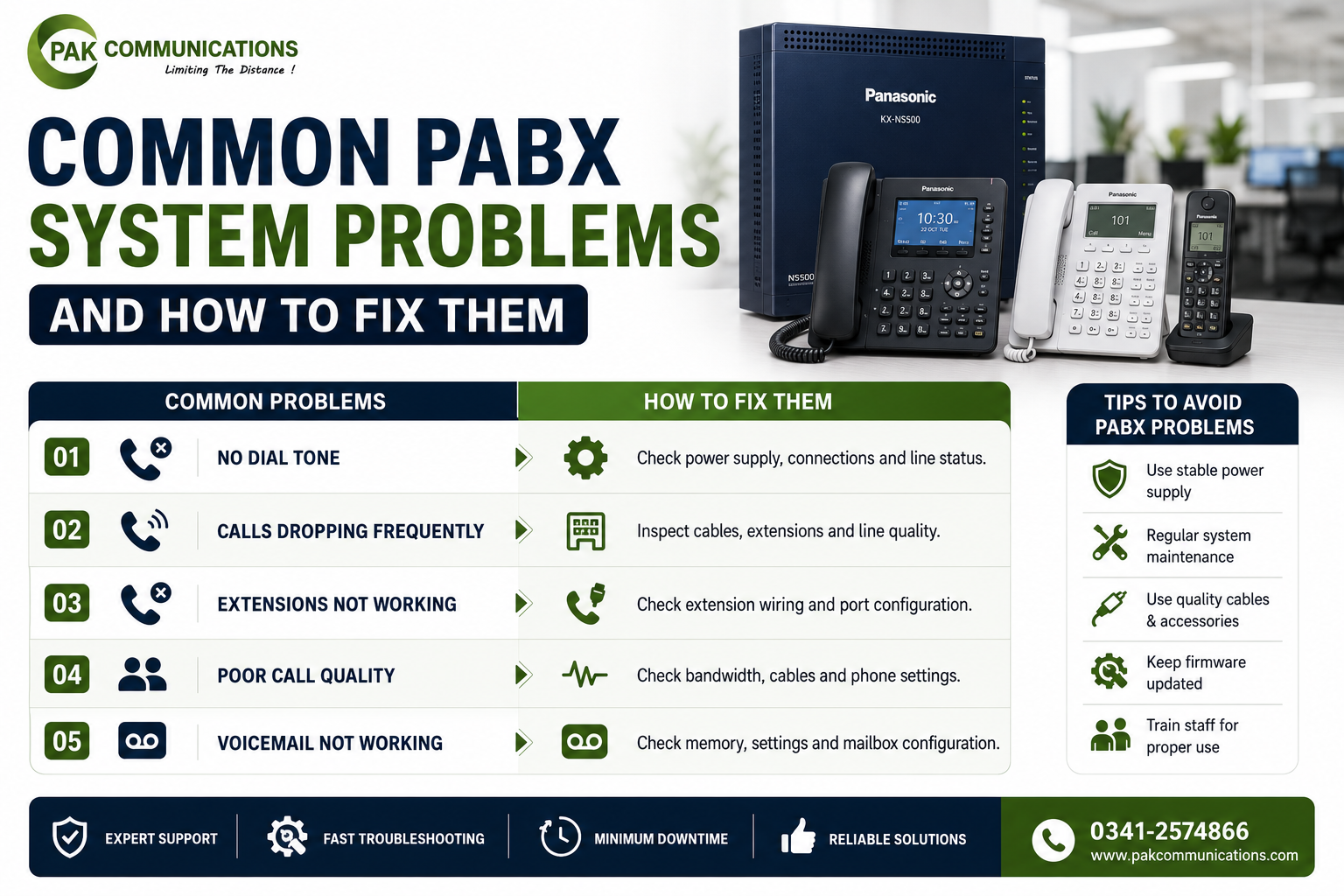
A PABX system is designed to run quietly in the background without needing daily attention. Most of the time it does exactly that. But when something goes wrong, the impact on the office is immediate. Calls do not connect, customers cannot reach the right department, and staff start using personal mobile numbers as a workaround.
The good news is that most PABX problems fall into one of six categories, and every one of them has a clear cause and a straightforward fix. This guide covers each problem directly so you can diagnose and resolve the issue without waiting for a technician visit.
Problem 1: No Dial Tone on an Extension
This is the most common complaint in any office with a PABX system, and it almost always has one of three causes.
The first and most likely cause is a loose or disconnected cable at the extension point. The telephone cable that runs from the main unit to the desk phone may have come loose at the wall socket, at the back of the handset, or at the termination point inside the distribution box. Check the cable connection at both ends before doing anything else. Reseat the cable firmly and test the pabx phone again.
The second cause is a wrong or missing port assignment in the programming. Every extension port on the main unit must be assigned an extension number during the initial programming. If the port was never assigned, or if the assignment was accidentally deleted, the connected pabx telephone will have no dial tone even when the cable is perfect. Check the extension port assignment in the programming menu and confirm the correct number is assigned to the correct port.
The third cause is a faulty handset. To test this, take the handset from a working extension, plug it into the port with no dial tone, and check whether the dial tone returns. If it does, the handset itself is the problem and needs to be replaced. If it does not, the fault is in the cable or the port.
Problem 2: Calls Dropping Mid-Conversation
A call that connects cleanly but drops before the conversation is finished points to a connection problem between the exchange and the outside line.
On an analog system, the most common cause is a faulty trunk line or a loose connection at the trunk port on the main unit. Check the physical connection of each trunk line cable at the unit. If the cables are secure, test each trunk line individually by making a call on that line specifically and noting which line drops the call. A line that drops calls consistently is either a faulty cable or a problem with the telephone service provider’s connection, which needs to be reported to the provider.
On an IP PBX, dropped calls are almost always caused by network packet loss or insufficient bandwidth during the call. When the network is congested or the internet connection is unstable, the voice data packets that carry the call are delayed or lost, and the call drops. Check the network utilisation during the times when drops occur. If the internet connection is being heavily used by other activity at the same time, the telephone exchange needs Quality of Service settings applied on the router so that call traffic is prioritised over general internet use.
Problem 3: Extension Not Ringing on Incoming Calls
When an extension is not ringing on incoming calls but has a working dial tone for outgoing calls, the problem is almost always in the call routing configuration rather than the hardware.
The first thing to check is whether the extension is included in the incoming call group. Incoming calls are routed to extension groups, not to individual phones. If a phone was added to the system after the initial setup, it may not have been added to the relevant incoming call group. Check the call group membership in the programming and add the extension if it is missing.
The second thing to check is whether Do Not Disturb mode is activated on the handset. Most PABX phones have a DND function that silences incoming calls at that specific extension without affecting the rest of the system. If the handset has a DND indicator light or a display message, deactivate DND and test again.
The third cause is an incorrect call routing rule. If the incoming call is being routed to a specific extension or group that has been changed or deleted, the call will appear to ring nowhere. Check the routing table for the trunk line carrying the incoming call and confirm it points to an active extension or group.
Problem 4: Poor Call Quality on Outside Lines
Call quality problems on outside lines affect the impression the office makes on every customer who calls. The fix depends entirely on whether the system is analog or IP based.
On an analog pbx system, poor quality on outside calls is usually caused by line noise. The most common sources are old or damaged telephone cable between the service provider entry point and the main unit, a poor earthing connection at the unit, or a fault on the telephone line from the service provider. Check the cable condition and connections first. If the cable and connections are clean, call the service provider and report the noise, as the fault may be on their side of the connection.
On an IP system, poor quality presents as jitter, echo, or a slight delay in the conversation. This is a network problem. Check the router’s Quality of Service settings to confirm that voice traffic is being prioritised. Check the internet connection speed and stability during the times when quality is poor. If the connection is variable or shared with heavy users, the call quality will reflect that directly.
Problem 5: Auto-Attendant Not Routing Correctly
The auto-attendant is the first thing a customer hears when they call the office. When it routes incorrectly, callers end up at the wrong department or hear a ringing tone with no answer.
The most common cause is a mismatch between the recorded greeting and the programmed routing rules. For example, the greeting says “Press 2 for accounts” but the programming routes the digit 2 to the sales group. Check that every digit option in the recorded menu matches exactly the routing rule programmed for that digit in the pabx telephone exchange settings.
The second cause is that the extension group being routed to has no active members. If all extensions in a group are on Do Not Disturb, switched off, or have been removed from the group, the routed call will ring with no answer even though the routing itself is correct. Check the membership of every extension group used in the auto-attendant routing and confirm at least one extension in each group is active and available.
Problem 6: All Lines Busy Error When Lines Are Free
When staff hear an all-lines-busy signal but can visually see that no calls are in progress, the problem is almost always in one of two places.
The first place to check is the trunk line access restriction in the programming. Most PABX systems allow the administrator to restrict which extensions can access outside lines. If the restriction was set too tightly, certain extensions may be blocked from accessing any trunk line. Check the trunk access settings for the affected extension and confirm it has permission to use at least one trunk line.
The second place to check is the physical trunk line connection. A trunk line cable that has come loose at the unit port will show as unavailable to the system even though the line itself is still active at the service provider level. Check the physical connection of each trunk cable at the unit and reseat any that are not fully secure.
When to Call a Technician
Most of the problems covered in this guide can be diagnosed and fixed by an office manager or a technically comfortable staff member using the programming manual for the specific unit. Routing errors, extension assignments, access restrictions, and group memberships are all programming changes that do not require specialist tools or training.
The situations that do require a qualified technician are physical hardware failures: a unit that does not power on, a port that does not respond after confirming the cable and handset are both working, a handset with physical damage, or a door phone unit that has stopped responding. These are hardware problems that require someone with hands-on experience to diagnose and replace the faulty component correctly.
If recurring problems keep returning after being fixed, the root cause is almost always something that was missed during the original installation. Going back through the full PABX system installation checklist reveals the missed step in the majority of cases, whether it is an unlabelled cable, an untested extension point, or a programming setting that was skipped during the initial setup.
Conclusion
Most PABX system problems have clear causes and practical fixes that do not require specialist intervention. No dial tone points to cables, port assignments, or the handset. Dropped calls point to trunk connections or network quality. Extensions not ringing point to call groups or routing rules. Poor call quality points to line condition or network settings. Auto-attendant errors point to mismatched menus and routing tables. Work through each problem systematically and the cause becomes clear.
If your diagnostic work reveals that the problems are symptoms of an undersized, outdated, or no longer expandable unit, it may be time to replace rather than repair. Browse the full range of options from a trusted supplier of business PABX system equipment and find a unit that matches your current office size and call volume correctly from the start.
Frequently Asked Questions
Why is my PABX extension not getting a dial tone?
The three most likely causes are a loose cable at the extension point, a missing port assignment in the programming, or a faulty handset. Check the cable connection first, then confirm the port is assigned an extension number in the programming, then test with a known working handset from another extension. One of these three steps will identify the cause in almost every case.
How do I reset a PABX system?
A basic restart involves powering the unit off, waiting thirty seconds, and powering it back on. This clears temporary faults without changing any programmed settings. A full factory reset wipes all programming and should only be done when the system needs to be completely reconfigured. Refer to the programming manual for the specific model before performing any reset, as the procedure varies between models and a factory reset on the wrong model can require the entire system to be reprogrammed from scratch.
Can a PABX system fail completely?
Yes, though complete failure is uncommon in well-maintained units. The most common causes of complete failure are power surge damage, physical damage to the main unit, or a critical component failure after many years of operation. A UPS connected to the main unit prevents most power-related failures. For units that are more than ten years old and showing recurring problems, replacement is usually more cost-effective than continued repair.