

Most offices make one of two mistakes when buying a phone exchange. They either buy a unit that runs out of extensions within a year of hiring new staff, or they overspend on a large system packed with features nobody ever uses. Both mistakes are avoidable, and they almost always happen for the same reason: the buyer chose a model before understanding what their office actually needs.
This guide gives you a simple, size-based framework. Work through it in order and the right choice becomes obvious — without comparing spec sheets or listening to a sales pitch.
Start With Your Extension Count, Not the Brand
The single number that drives every other decision is your extension count. An extension is any point inside your office where a phone should ring: each desk, the reception, the meeting room, the store, the server room, the manager’s cabin, and the guard post. Count every one of them.
Then add your growth. If your team of twelve may grow to twenty within two years, do not buy a sixteen-extension unit. You will hit the ceiling before you recover the purchase cost. Always plan for your headcount in two years, not today.
Once you have your extension count, add trunk lines. Trunk lines are the outside connections coming from the telephone company. A working rule for most offices is one trunk line for every six to eight staff, because everyone rarely calls outside at the same time. A busy sales team needs more; a workshop or back-office team needs fewer.
With these two numbers in hand, the PABX system buying guide walks you through every other factor to check before you purchase, including features, brands, installation planning, and after-sales support.
Small Offices — 2 to 15 Staff
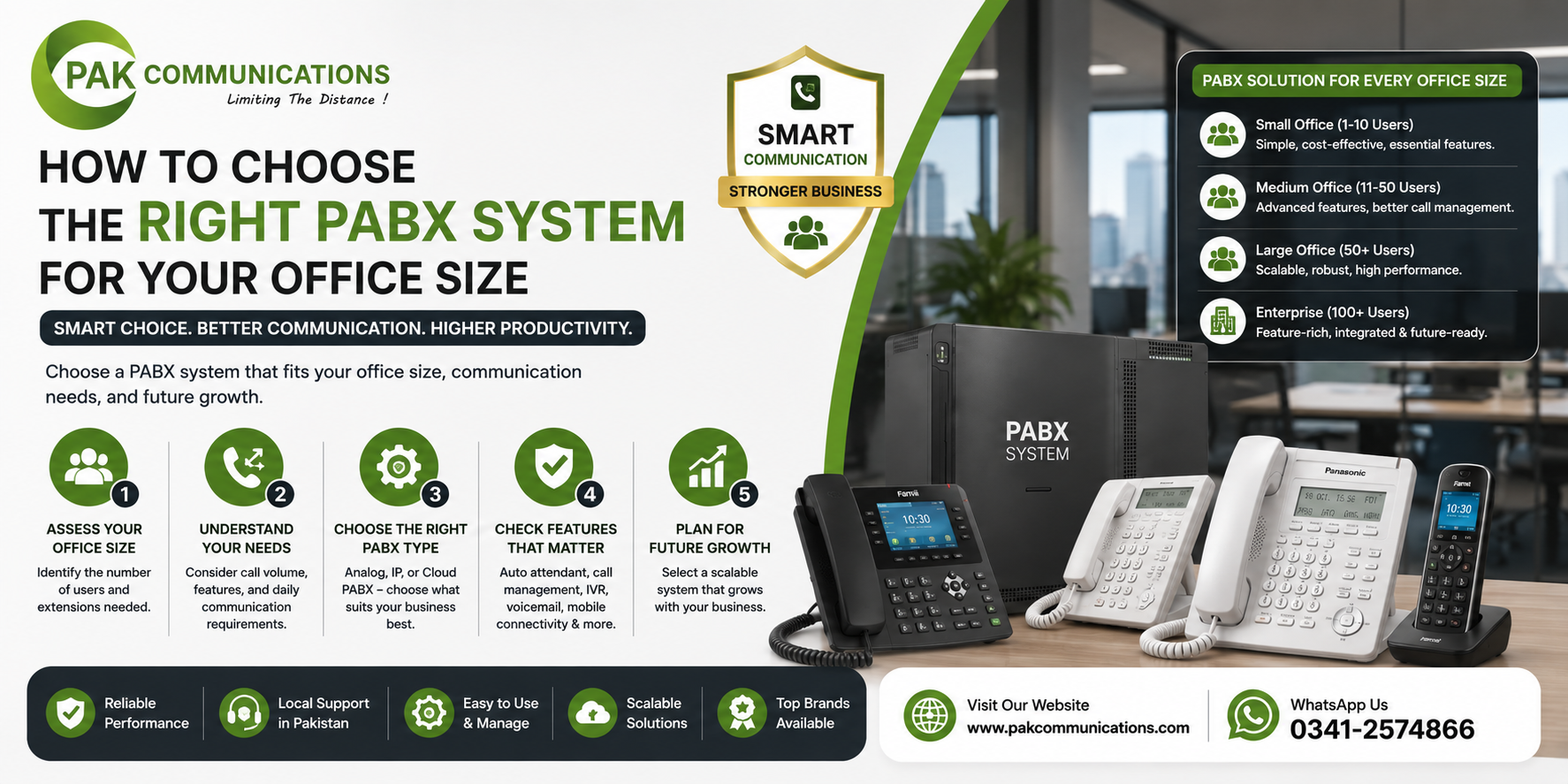
A small office needs simplicity above everything else. One or two outside lines and eight to sixteen extensions cover the daily calling needs of most small teams. The right system type here is an analog or basic hybrid unit. It is affordable, easy to maintain, and any local technician can service it without specialist training.
What Features a Small Office Actually Needs
Keep the list short. The features a small office uses every day are extension dialing between desks, call transfer from reception to staff, call hold with a message or music, and a basic auto-attendant that greets callers and routes them to the right person. Everything beyond this is a feature you are paying for but not using.
One thing many small offices skip and later regret is buying a unit with room to expand. Even if you only need eight extensions today, choose a model that can scale to sixteen or twenty-four with an add-on card. That single decision saves you from replacing the entire unit when your team grows.
Medium Offices — 16 to 50 Staff
A medium office has more moving parts. Departments need their own extension groups, the reception desk handles higher call volumes, and management needs more control over call routing. Four to eight trunk lines and twenty-four to forty-eight extensions are the typical range here.
The right system type for a medium office is a digital or hybrid PABX. Digital units support feature phones with display screens and programmable keys, which makes a real difference at a busy reception desk where the operator needs to see which extensions are free before transferring a call.
Key Features for a Medium Office
Beyond the basics, a medium office benefits from department-level call routing so incoming calls go directly to the right group, call recording for sales and support teams, a multi-level IVR so callers self-route without waiting for reception, and call restriction on certain extensions to prevent unauthorised mobile or international dialing. These features are rarely needed in a small office but become genuinely useful once the team grows past fifteen.
Large Offices — 50+ Staff
A large office needs an exchange that handles volume, branches, and complexity at the same time. You are looking at multiple trunk groups, fifty or more extensions, and a system that can connect two or more physical locations. This is where an IP PBX or a large-capacity hybrid unit earns its place.
When to Move to IP PBX
An IP PBX sends calls over your internet connection or internal network rather than traditional copper lines. This makes two things possible that a traditional unit cannot do easily: it connects remote staff and branch offices to the same extension system, and it grows by adding software licenses rather than physical cards. If your office has a reliable internet connection, a small IT team, and plans to open a second location, IP PBX is the right direction.
For large-capacity analog, digital, or IP options, browse the full range of PABX System solutions and filter by the port count your office needs.
Call Flow Matters as Much as Headcount
Office size tells you how many extensions you need. Call flow tells you how the system must behave during the busiest hour of the day.
Ask yourself these questions. How many incoming calls does your office receive during peak hours? Does your reception manually answer and transfer every call, or does an automated menu handle the first step? Do callers ever wait in a queue, and if so, how long before they hang up?
A twenty-person office that receives sixty incoming calls between 9am and 11am has completely different routing needs than a fifty-person office that receives ten calls spread across the entire day. The first needs a strong IVR, queuing, and multiple reception extensions. The second can run comfortably on a simple system with manual transfer.
Matching the system to your call flow, not just your headcount, is what separates a smooth installation from one that needs reconfiguring two months after going live.
A Simple 5-Question Decision Checklist
Answer these five questions before speaking to any supplier and you will know exactly which tier of system to ask for.
- How many staff does the office have right now?
- What will that number likely be in two years?
- How many incoming calls does the office receive during the busiest hour?
- Does the office have any remote staff or a second location that needs to share extensions?
- Is there a plan to migrate to IP calling within the next three years?
If your answer to question four or five is yes, go straight to IP PBX regardless of current headcount. If both answers are no, choose analog or digital based on your size tier above.
Conclusion
Choosing the right PABX system comes down to four things done in the right order: count your extensions with two years of growth included, match the system type to your office size tier, check your call flow during peak hours, and answer the five checklist questions before talking to anyone. Do this and you will never end up with a system that is either too small to grow into or too complex to manage on a daily basis.
Frequently Asked Questions
What size PABX system does a 20-person office need?
A twenty-person office typically needs three to four trunk lines and twenty-four to thirty-two extensions, with some room to grow. A digital or hybrid unit in the 8×24 or 8×32 range covers most medium offices of this size comfortably.
Can I upgrade a small PABX system later?
Yes, but only if the unit supports expansion cards. Before buying any system, confirm the maximum expanded capacity, not just the starting capacity. A unit that starts at 3×8 but expands to 8×24 gives you room to grow without replacing the entire setup.
When should an office move to IP PBX?
Move to IP PBX when you need to connect remote staff or a second office on the same extension system, when your current unit is at full capacity and cannot expand further, or when your internet connection is stable enough to carry call quality without drops. Do not move to IP PBX just because it sounds modern; only move when the business need is clear.