

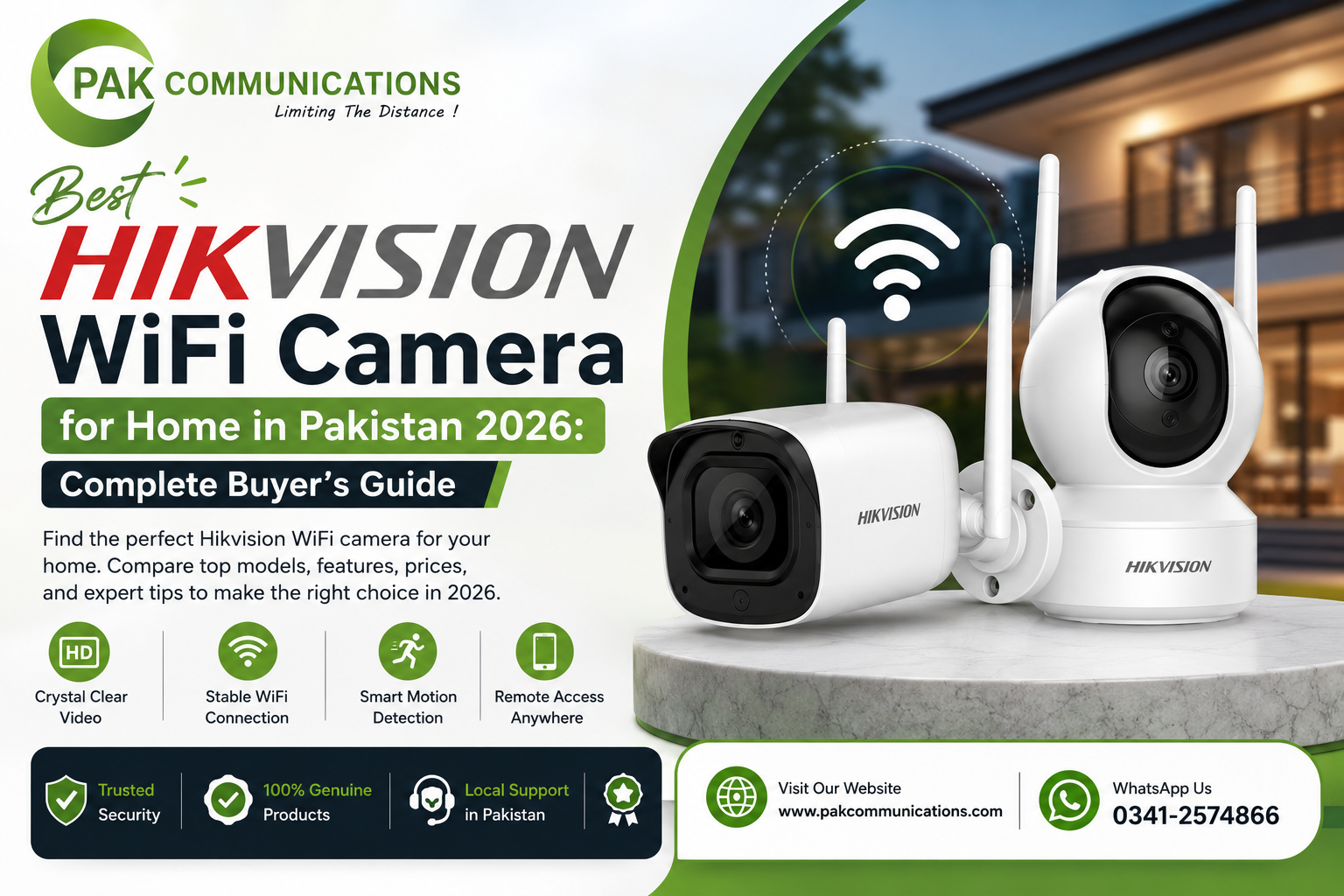
Best Hikvision WiFi Camera for Home in Pakistan 2026: Complete Buyer’s Guide
Pakistani homeowners who want to add CCTV cameras to their property without running new cable through finished walls, ceilings, and conduit have one practical option: WiFi cameras that transmit footage over the home’s existing wireless network without any video cable between the camera and the recorder. Hikvision’s WiFi camera range for home use covers indoor fixed cameras for room monitoring, outdoor weatherproof cameras for gate and boundary positions, and battery-powered cameras for locations where even a power cable is difficult to run. The absence of a video cable does not mean the absence of installation work. WiFi cameras still require a power supply at each camera position, and their performance depends directly on the WiFi signal strength that reaches each mounting position in the home. For the complete range of Hikvision wireless cameras in Pakistan currently in stock, visit PAK Communications before reading further.
Contact PAK Communications:
- Phone: (021) 4832293-4
- WhatsApp: 0341-2574866
- Email: info@pakcommunications.com
- Address: Suite #08, 4th Floor, Dar-ul-Furqan Building, Gulshan-e-Iqbal Block 13-B, Main University Road, Karachi
- Hours: Mon-Sat 9:30 AM – 6:30 PM
Why Pakistani Homeowners Choose Hikvision WiFi Cameras
The core appeal of a Hikvision WiFi camera for a Pakistani homeowner is the elimination of the video cable that every wired CCTV camera requires between the camera mounting position and the central DVR or NVR recorder. In a newly built property under construction, running coaxial or Cat6 cable through walls and ceilings before plastering is a straightforward part of the construction process. In a finished property where walls are plastered, painted, and furnished, routing video cables through the same walls requires cutting cable channels into the plaster, running cables through surface conduit along walls and ceilings, or drilling through floors between storeys, followed by plastering, painting, and finishing work to restore the property’s appearance. For homeowners in Pakistani housing societies who have purchased a fully finished property, or for tenants who cannot make permanent structural modifications to a rented home, the WiFi camera’s ability to eliminate this cable routing work entirely is a significant practical advantage over wired CCTV alternatives.
No Video Cable Required for Finished Pakistani Homes
A WiFi camera requires only a power supply at the mounting position. For indoor positions in Pakistani homes, this typically means a standard 5V USB adapter plugged into the nearest power socket, or a 12V DC adapter routed along the wall surface in a small cable trunking channel that is far less intrusive than the video cable conduit required by a wired camera. For outdoor positions at the gate or boundary wall, a weatherproof outdoor power socket or a 12V adapter mounted inside a weatherproof junction box provides the power supply without any video cable running back to a central recorder.
Pakistani tenants living in rented properties in Karachi, Lahore, and Islamabad who want CCTV monitoring during their tenancy period find WiFi cameras particularly suitable because they can be installed without permanent structural modifications and removed cleanly when the tenancy ends, leaving no cable channels, conduit, or drill holes that a landlord could dispute at the end of tenancy.
Remote Viewing Through Hik-Connect Without a Recorder
Hikvision WiFi cameras connect directly to the Hik-Connect mobile application on an iPhone or Android smartphone, providing live view, motion event playback, and push notifications without requiring a central DVR or NVR recorder. The camera stores footage on an internal microSD card slot that accepts cards up to 256GB on most current models, providing local on-camera storage that can hold between 7 and 30 days of footage depending on the card capacity, the recording resolution, and whether the camera records continuously or only when motion is detected.
This recorder-free configuration is the entry point for most Pakistani homeowners installing CCTV for the first time. A single Hikvision outdoor WiFi camera at the gate position connected to Hik-Connect provides live gate monitoring, motion-triggered push notifications to the homeowner’s phone, and local microSD card footage playback through the app, without any additional hardware beyond the camera and a microSD card.
Quick Self-Installation for Pakistani Home Positions
The installation process for a standard indoor Hikvision WiFi camera in a Pakistani home requires mounting the camera bracket, connecting the power supply, and scanning the QR code on the camera body with the Hik-Connect app to add the camera to the account. Most Pakistani homeowners complete this process for an indoor position in under 30 minutes without professional installation assistance. Outdoor positions benefit from professional installation for correct weatherproofing of the power cable entry point and correct cable management between the power source and the camera mounting position, but the camera-to-network connection process is the same simple QR code scanning procedure.
What to Check Before Buying a Hikvision WiFi Camera for Your Pakistani Home
WiFi cameras have specific requirements beyond the camera unit itself that determine whether they will work reliably at each planned mounting position in a Pakistani home. Buyers who purchase WiFi cameras without verifying these requirements at each planned position frequently encounter connectivity problems after installation that require either repositioning the camera or adding WiFi infrastructure to support it.
WiFi Signal Strength at Each Camera Position
The single most important factor determining whether a Hikvision WiFi camera will work reliably at a planned mounting position is the WiFi signal strength available at that position. A WiFi camera requires a stable minimum signal strength at its mounting position to maintain consistent video streaming and push notification delivery. If the signal at the planned camera position is too weak, the camera will drop offline intermittently, fail to deliver push notifications reliably, and produce choppy or stalled live view streams in the Hik-Connect app.
Pakistani homeowners should test the WiFi signal strength at each planned camera mounting position before purchasing by checking the signal bar indicator on a smartphone held at the exact height and position where the camera will be mounted. A strong signal of 3 or more bars from a standard smartphone WiFi indicator at the planned position suggests adequate signal for a WiFi camera. A signal of 1 bar or intermittent connection at the planned position indicates that a WiFi extender or mesh network node will be needed before the camera can operate reliably at that position.
Single-storey Pakistani homes with a modern router positioned centrally in the home typically provide adequate WiFi coverage for all indoor positions and for outdoor positions within 10 to 15 metres of the router. Multi-storey Pakistani homes in housing societies commonly have a router on the ground floor that provides strong coverage throughout the ground floor but significantly weaker coverage on upper floors and at the gate position, which may be 15 to 25 metres from the router through multiple floors and walls. Pakistani homeowners with multi-storey properties should evaluate their WiFi coverage at gate and upper floor camera positions specifically before deciding between WiFi cameras and wired cameras for those positions.
Power Supply at Each Camera Position
Every Hikvision WiFi camera requires a power supply at the mounting position. The camera eliminates the video cable but not the power cable. For indoor positions in a Pakistani home, the power cable from the nearest power socket to the camera mounting position is typically short enough that it can be managed with small adhesive cable clips or a short cable trunking channel without significant installation work. For outdoor positions at a gate pillar or boundary wall, a power supply cable must run from an indoor power source through the wall or via external conduit to a weatherproof junction box at the camera mount position.
Pakistani homeowners who want truly wireless cameras without any cable at the mounting position should consider Hikvision’s battery-powered WiFi camera models, which operate on rechargeable internal batteries that provide several months of operation between charges at typical residential motion activity levels. Battery-powered cameras are the correct choice for outdoor positions where running a power cable is impractical, such as a boundary wall position far from an indoor power source, a garage interior without a power socket, or a temporary monitoring position that will change location after a period of use.
MicroSD Card for Local Footage Storage
Hikvision WiFi cameras include a microSD card slot for local footage storage but do not include a microSD card in the package. A WiFi camera operating without a microSD card provides live view and push notifications through the Hik-Connect app but cannot store any footage for playback after the live view session ends. Any motion event that triggers a push notification can be reviewed in the live view at the moment the notification arrives, but if the homeowner does not view the live stream immediately, no playback footage is available after the fact without a microSD card installed.
Pakistani homeowners buying a Hikvision WiFi camera should purchase a Class 10 or UHS-I rated microSD card at the same time as the camera to ensure footage recording is available from day one of operation. A 64GB card stores approximately 7 to 10 days of continuous 1080p footage or 15 to 25 days of motion-triggered recording at typical Pakistani residential activity levels. A 128GB card doubles these storage periods. Cards larger than 128GB are supported on some models but should be confirmed against the specific camera model’s maximum microSD capacity specification before purchasing.
Load Shedding Impact on WiFi Camera Operation
Load shedding affects WiFi camera operation in Pakistani homes in a way that differs from wired CCTV systems and that Pakistani buyers need to understand before specifying WiFi cameras for after-dark monitoring during power cuts. A WiFi camera connected to a UPS backup power supply continues recording to its microSD card during load shedding regardless of whether the home’s internet connection and router are also on backup power. The camera records locally to the card and stores motion events during the power cut without any connectivity requirement.
However, push notifications to the Hik-Connect app require the home’s router and internet connection to be operational, because the notification travels from the camera through the local WiFi network to the internet and from the internet to the homeowner’s phone. If the router loses power during load shedding and is not connected to UPS backup, the camera continues recording to the microSD card but the homeowner receives no push notifications and cannot access the live view remotely until the router regains power. Pakistani homeowners who need push notifications during load shedding hours should connect both the camera and the router to UPS backup power to maintain the complete notification chain throughout power cut events.
Best Hikvision WiFi Camera Models for Pakistani Homes in 2026
The following Hikvision WiFi camera models represent the most suitable options for specific positions and use cases in Pakistani homes. Current stock availability and pricing for all models is listed on the Hikvision WiFi camera price in Pakistan page at PAK Communications.
Best Hikvision WiFi Camera for Indoor Pakistani Home Positions
The Hikvision C6W indoor pan and tilt WiFi camera is the most practical single indoor WiFi camera for Pakistani homeowners who want complete room coverage from a single device. The camera’s motorized pan and tilt mechanism allows the lens to rotate 355 degrees horizontally and tilt 90 degrees vertically, covering every corner of a room from a single shelf or desk mount position without blind spots. The two-way audio function built into the C6W allows the homeowner to speak through the camera via the Hik-Connect app and hear audio from the camera’s built-in microphone, which is used by Pakistani parents monitoring children in a room, homeowners speaking to domestic staff from outside the property, and businesses monitoring a staffed area remotely.
The motion tracking function on the C6W automatically pans and tilts the camera to keep a detected moving subject centred in the frame as they move through the room, without any manual control input required from the homeowner. This automatic subject following is particularly useful for monitoring the living area or children’s room of a Pakistani home where the subject of interest moves freely around the space rather than remaining in a fixed position in the camera’s field of view.
The C6W produces 2MP full HD footage with built-in IR illumination for night vision, stores footage on a microSD card up to 256GB, and connects to Hik-Connect for remote live view and event playback. Its current price range in Pakistan’s authorized market is between Rs 12,000 and Rs 18,000 depending on the seller and any package inclusion.
Best Hikvision WiFi Camera for Outdoor Pakistani Home Positions
The Hikvision ColorVu outdoor WiFi camera series represents the most capable outdoor WiFi camera option for Pakistani residential gate and boundary positions. These cameras combine IP67 weatherproof outdoor housing with ColorVu full-color night vision technology that maintains color footage throughout load shedding events, AcuSense AI human and vehicle detection that filters false alerts from street traffic and animals, and built-in two-way audio for gate visitor communication via the Hik-Connect app.
The 4MP resolution on current outdoor ColorVu WiFi models produces identification-quality facial detail at gate approach distances of 12 to 15 metres and number plate detail at 8 to 12 metres, which covers every standard Pakistani residential gate position within a housing society. The ColorVu warm white LED illuminators activate automatically during load shedding when ambient light drops below the camera’s color threshold, producing full color footage of the gate approach area during complete darkness that captures clothing color, vehicle color, and identifying visual details that standard IR WiFi cameras cannot record in the same conditions.
The current price range for Hikvision 4MP ColorVu outdoor WiFi cameras in Pakistan’s authorized market is between Rs 18,000 and Rs 26,000 depending on the specific model variant and the inclusion of accessories.
Best Hikvision Battery WiFi Camera for Pakistani Homes
Hikvision’s battery-powered WiFi camera models are the correct choice for Pakistani homeowners who need camera coverage at positions where running a power cable is not practical without significant construction work. A battery WiFi camera at a boundary wall position far from an indoor power source, at a garden area position, or at a garage interior wall position provides full WiFi camera functionality including live view, push notifications, and microSD card recording without any power cable at the camera mount.
The battery capacity on current Hikvision battery WiFi models provides between 3 and 6 months of operation between charges at typical Pakistani residential motion activity levels, after which the battery must be removed and recharged using the supplied charging cable before reinstalling. Positions with high motion activity from passing pedestrians and traffic trigger more frequent recording events that deplete the battery faster than low-activity interior positions, so Pakistani homeowners should estimate their expected motion activity level at each planned battery camera position before assuming maximum battery life.
The current price range for Hikvision battery-powered WiFi cameras in Pakistan’s authorized market is between Rs 22,000 and Rs 32,000 depending on the model and specifications.
Best Hikvision WiFi Camera for Pakistani Apartments
Pakistani residents in apartments, particularly rented apartments where permanent installation modifications are not permitted, benefit from compact Hikvision WiFi bullet cameras with outdoor ratings that can be mounted at apartment door positions, small balconies, and window positions overlooking car parks or building entrances. A 2MP outdoor-rated Hikvision WiFi bullet camera at an apartment door position captures the face and appearance of every person approaching the apartment entrance, stores footage on a microSD card, and sends push notifications to the Hik-Connect app when motion is detected at the door.
This camera type does not require any drilling or permanent modification to the apartment structure when mounted using adhesive bracket mounts on door frames or window surrounds, making it suitable for tenants who want CCTV monitoring without affecting their security deposit at lease end. The current price range for entry-level outdoor WiFi bullet cameras suitable for apartment positions in Pakistan’s authorized market is between Rs 9,000 and Rs 14,000.
Hikvision WiFi Camera with AcuSense AI for Pakistani Home Alert Management
Pakistani homeowners who install outdoor WiFi cameras at gate positions and boundary walls consistently report the same push notification problem within the first week of operation: the Hik-Connect app delivers motion alerts dozens of times per hour from passing pedestrians on the road outside the gate, animals moving along the boundary wall at night, vehicle headlights sweeping across the camera frame, and foliage movement in front of the camera lens during wind. The volume of these false motion alerts is high enough that most Pakistani homeowners disable push notifications entirely within a short period of installation, because distinguishing genuine intruder alerts from constant false alerts becomes practically impossible with standard motion detection.
Hikvision’s AcuSense AI technology addresses this problem directly by classifying every motion event through an onboard deep learning neural network before deciding whether to send a push notification. AcuSense cameras send notifications only when the onboard AI classifies the motion event as a confirmed human or vehicle detection within the defined detection zone. All other motion events including animals, foliage, vehicle headlights, rain, and insects near the lens are recorded to the microSD card without generating any push notification. The practical result for Pakistani homeowners is that Hik-Connect push notifications from an AcuSense outdoor WiFi camera arrive only when a person or vehicle actually enters the gate approach area, making every notification genuinely worth checking rather than a constant background noise to ignore. The complete technical explanation of how AcuSense AI works, how to set up detection zones for Pakistani gate and perimeter positions, and which camera models include AcuSense at accessible price points is covered in the Hikvision AcuSense AI guide.
Hikvision WiFi Camera Setup with Hik-Connect App
The Hik-Connect setup process for a Hikvision WiFi camera is designed to be completed by the homeowner without professional technical assistance in most standard indoor positions. The steps below describe the standard setup process for a new Hikvision WiFi camera being added to a Pakistani homeowner’s Hik-Connect account.
Step 1: Download and Create a Hik-Connect Account
Download the Hik-Connect application from the Google Play Store or Apple App Store on the smartphone that will be used to monitor the camera. Open the application and create a new account using a Pakistani mobile number or an email address. Enable push notifications when prompted by the application during account creation, as this is the setting that controls whether motion event alerts are delivered to the phone.
Step 2: Add the Camera to Hik-Connect
Power on the Hikvision WiFi camera by connecting it to its power supply and wait for the startup sequence to complete, which typically takes 30 to 60 seconds and is indicated by the camera’s status LED transitioning from a startup blink sequence to a steady or pulsing status light. In the Hik-Connect application, tap the plus button to add a new device and select the scan QR code option. Point the smartphone camera at the QR code printed on the label on the camera body or on the product packaging. The camera appears in the Hik-Connect device list after the QR code is successfully scanned and the initial connection is established.
Step 3: Connect the Camera to the Home WiFi Network
In the camera settings within Hik-Connect, select the WiFi configuration option and choose the home WiFi network name from the list of available networks. Enter the WiFi password for the home network. The camera connects to the WiFi network and the status LED changes to a solid color indicating successful network connection. Confirm that the live view stream loads correctly in Hik-Connect within 5 to 10 seconds of the connection being established.
Step 4: Install the MicroSD Card and Configure Storage
Insert a compatible Class 10 microSD card into the camera’s card slot before or after the Hik-Connect setup process. In the Hik-Connect camera settings, go to the storage configuration section and select the format SD card option to prepare the card for recording. Choose the recording mode between continuous recording and motion-triggered recording depending on the storage capacity available and the coverage requirement. Motion-triggered recording stores significantly more days of footage on the same card capacity compared to continuous recording and is the recommended setting for most Pakistani home WiFi camera positions.
Step 5: Configure Motion Detection Zones and Alerts
In the Hik-Connect camera settings, configure the motion detection zone to cover the specific area within the camera’s field of view where detected motion should trigger a push notification. For a gate position camera, set the detection zone to cover only the gate approach path and gate entry area rather than the full camera frame, which eliminates notifications from pedestrians walking past on the road outside the gate boundary. For AcuSense-enabled cameras, confirm that the detection type is set to human and vehicle detection rather than standard motion detection to activate the AI classification filtering.
Common WiFi Camera Problems in Pakistani Homes and How to Solve Them
WiFi cameras in Pakistani homes encounter a small set of recurring operational problems that are each caused by a specific and correctable issue. Understanding these problems and their causes allows Pakistani buyers to address them correctly rather than concluding that the camera is faulty.
Intermittent camera offline status in Hik-Connect is the most common WiFi camera problem in Pakistani homes and is caused by insufficient WiFi signal strength at the camera mounting position rather than a fault with the camera itself. The correct solution is to add a WiFi range extender or mesh network node at a position between the router and the camera that brings adequate signal to the camera location. Repositioning the router closer to the camera position, if practical, is the most effective single change for improving camera connectivity at outdoor gate and boundary positions.
Loss of push notifications during load shedding hours is caused by the home router losing power during the load shedding event, which breaks the local WiFi network connection required for notifications to reach the homeowner’s phone even though the camera continues recording to the microSD card. The solution is to connect the router to the same UPS backup power supply as the camera, maintaining the complete WiFi network and internet connection throughout the load shedding event.
Short microSD card footage retention of only 1 to 2 days is caused by either a small capacity card, a continuous recording setting that fills the card quickly, or a high-resolution setting that produces large file sizes. The solution is to use a 128GB card with motion-triggered recording enabled, which extends retention at typical Pakistani residential activity levels to 15 to 25 days on a single card.
Blurry or dark night footage at an outdoor position where colorful clear night footage was expected is typically caused by purchasing a standard IR camera at a position that requires a ColorVu camera. Standard IR cameras produce black and white footage in low-light and complete darkness conditions. ColorVu cameras produce full-color footage. If color night footage is a requirement at the planned position, a ColorVu model must be specified rather than a standard IR model.
Conclusion: Which Hikvision WiFi Camera Is Best for Your Pakistani Home?
The correct Hikvision WiFi camera for a Pakistani home depends on the specific position and the coverage requirement at that position. Indoor positions in living areas and children’s rooms benefit from the pan and tilt motor coverage of the C6W that eliminates blind spots from a single shelf or desk mount. Outdoor gate and boundary positions require outdoor IP67-rated models with ColorVu color night vision for load shedding performance and AcuSense AI detection to maintain the push notification quality that makes active monitoring practical. Positions without power supply access need battery-powered models that eliminate the power cable requirement entirely.
All these camera types connect to the same Hik-Connect application and provide the same live view, push notification, and microSD playback functionality regardless of which model is installed at which position. The team at PAK Communications can confirm which specific Hikvision WiFi camera model is the correct choice for each position in your Pakistani home and advise on microSD card, UPS backup, and WiFi signal requirements before you purchase. Browse the complete range of Hikvision camera in Pakistan at PAK Communications or contact us directly on WhatsApp 0341-2574866 for a free recommendation before ordering.