

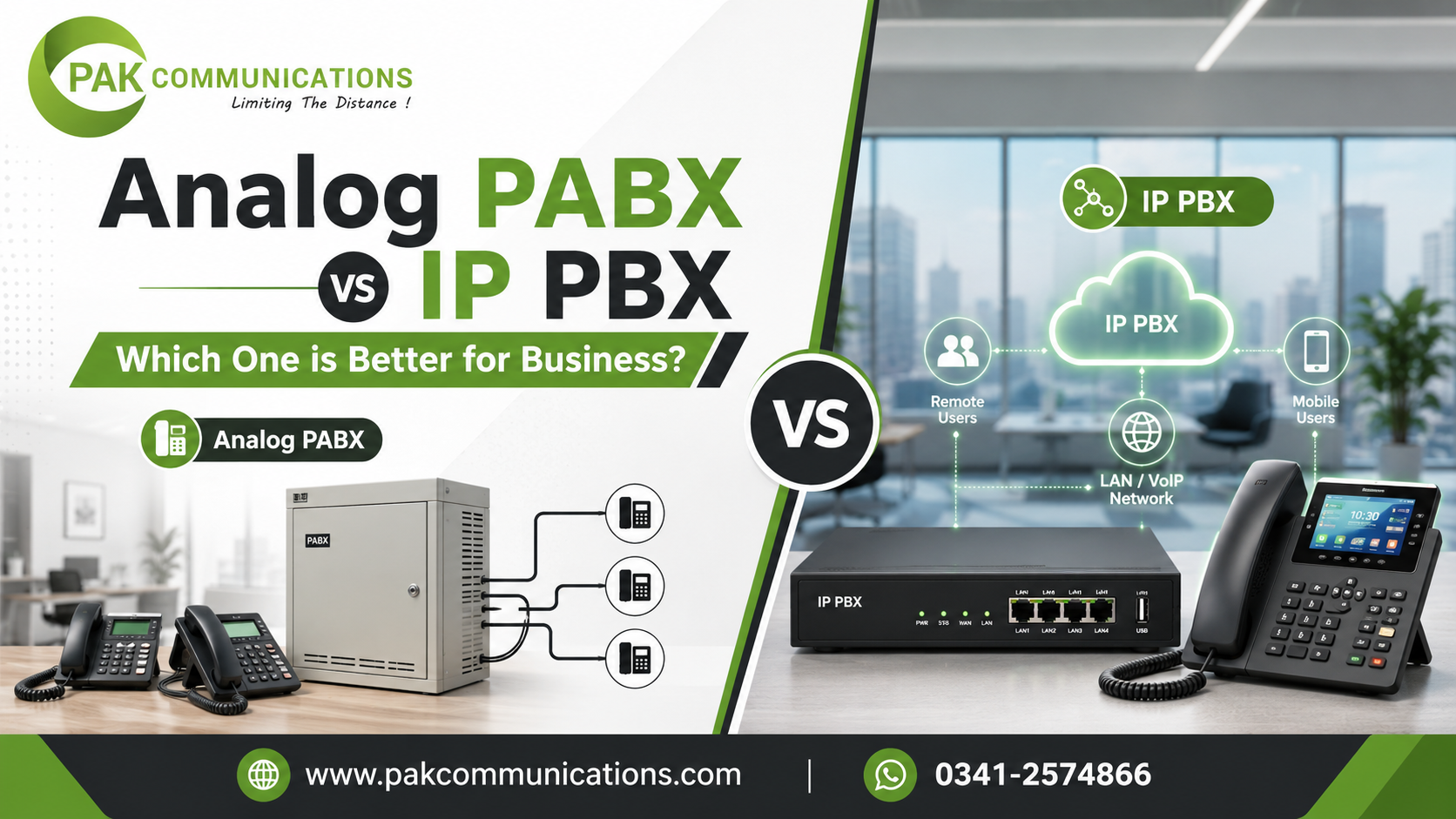
Every office that installs a phone exchange faces the same early question: should we go with a traditional analog system or a modern IP-based one? Both are available in the market, both work reliably in the right environment, and most suppliers will recommend whichever one they have more experience selling.
The honest answer is that neither system is universally better. Each one suits a specific type of office. This guide gives you a clear side-by-side comparison of analog PABX and IP PBX across the five areas that matter most: call quality, setup, features, running costs, and long-term value. By the end, the right choice for your office will be obvious.
What is an Analog PABX System?
An analog PABX is a traditional office telephone exchange that uses copper telephone lines and analog signaling to connect calls. It works with standard desk handsets, connects to the public telephone network through physical line ports, and handles all switching through dedicated internal hardware.
Analog systems have been in offices for decades and the technology is mature, stable, and well understood. Every component is straightforward. The main unit handles switching, the copper cables carry the signal, and the handsets convert it into sound. There is no dependency on an internet connection, no network configuration required, and no need for an IT specialist to keep it running. Any technician familiar with telephony can install, program, and maintain an analog PABX system.
For offices that need reliable internal calling, clean external line handling, and a system that works the same way every single day without technical complexity, analog remains a strong and practical choice.
What is an IP PBX System?
An IP PBX is a modern office telephone exchange that routes calls over an internet connection or an internal computer network instead of traditional copper telephone lines. The calls are converted into data packets and transmitted using the same network infrastructure that the office already uses for computers and internet access.
IP PBX systems support a much wider range of devices than analog systems. Staff can make and receive calls from a physical desk phone, a software application on a laptop, or a mobile app on a smartphone. This flexibility makes IP PBX particularly well suited to offices with remote workers, multiple branches, or teams that need to stay connected while working away from the office.
The setup requires more technical knowledge than an analog system. The office network needs to be configured to prioritise call traffic so that voice quality is not affected by other internet activity happening at the same time. This is called Quality of Service configuration and it requires someone with networking experience to do it correctly.
Call Quality: Analog PABX vs IP PBX
Call quality is where the two systems differ most noticeably in daily use.
An analog PABX delivers consistent, predictable call quality that does not change based on what else is happening in the office. The signal travels over dedicated copper lines that carry voice only, so there is no competition for bandwidth and no variation in quality from one call to the next. Offices in areas with unreliable internet connections benefit the most from this consistency.
An IP PBX can deliver excellent call quality, but only when the internet connection is stable and the network is properly configured. When bandwidth is sufficient and Quality of Service settings are correctly applied, IP calls are clear and natural. When the internet slows down, drops packets, or experiences congestion, call quality suffers immediately. Callers hear delays, breaking audio, or dropped calls. This makes IP PBX quality directly dependent on the reliability of the office internet connection.
The practical verdict is straightforward. If your office has a stable fiber connection with consistent speeds throughout the working day, IP PBX call quality is excellent. If your connection is variable or shared with heavy internet users, analog will give you better and more reliable call quality every time.
Setup and Installation: Which is Easier?
An analog PABX installation is physically straightforward. Telephone cables run from the main unit to each extension point, trunk lines connect to the unit from the service provider entry point, and the technician programs extension numbers, routing rules, and the auto-attendant. Most analog installations are completed in a single day and require no IT involvement beyond confirming the power supply.
An IP PBX installation involves two layers of work. The first is the physical setup, which is similar to analog in terms of cabling to desk phones. The second is the network configuration, which requires the office network to be assessed, the router to be configured for voice traffic, and the IP PBX server or appliance to be integrated with the existing IT infrastructure. This second layer requires an IT professional and typically adds time and cost to the initial setup.
Once both systems are live, ongoing maintenance is also different. An analog system rarely needs attention after installation. An IP PBX requires periodic software updates, network monitoring, and occasional reconfiguration as the office network changes.
For a complete step-by-step guide that covers wiring, extension assignment, programming, and testing for any system type, the PABX system installation checklist walks through every stage of the process in the correct order.
Features: What Each System Supports
Both systems cover all the features that a standard office uses every day.
An analog PABX supports extension dialing, call transfer, call hold, auto-attendant with IVR menus, conference calling, call restriction, voicemail, and door phone connectivity. These features handle the full range of daily communication needs for most offices regardless of size.
An IP PBX supports all of the same features and adds several that an analog system cannot provide. Remote extensions that work over the internet so staff working from home use the same extension number as if they were in the office. Softphones on laptops and mobiles that eliminate the need for a physical desk phone at every seat. Branch office connectivity that puts two physical locations on the same extension system. Call reporting dashboards that show call volumes, wait times, and extension activity in real time. CRM integration that links incoming calls to customer records automatically.
The additional features of an IP PBX are genuinely useful, but only for offices that will actually use them. A small office with no remote staff and no branch locations gains nothing from these extras and pays more to have them available.
Running Costs and Long-Term Value
The running cost comparison between the two systems is often misrepresented in sales conversations, so it is worth being precise about what each system actually costs over time.
An analog PABX has a relatively low initial hardware cost, especially for small to medium office sizes. Once installed, the hardware runs for years with minimal maintenance cost. The call costs are whatever your telephone service provider charges for calls on the trunk lines. There are no software licenses, no subscription fees, and no IT infrastructure costs.
An IP PBX may have a higher initial setup cost due to the network configuration requirements. However, it can significantly reduce the cost of long-distance and international calls by routing those calls over the internet instead of the public telephone network. For offices that make a high volume of long-distance calls, this saving can recover the additional setup cost within the first year.
To compare the full range of both analog and IP options available for your office size and call volume, browse the complete selection of IP PBX and PABX systems and filter by port count and system type before shortlisting any model.
Which One is Right for Your Business?
Use this framework to match your office profile to the right system type.
Choose an analog PABX if your office has a small to medium team with no remote workers, your internet connection is variable or shared with heavy users, you want a simple installation with no IT involvement, or your office is in an area where fiber internet is not yet reliably available. Analog gives you stable call quality, simple maintenance, and a long hardware life without any technical complexity.
Choose an IP PBX if your office has remote workers or a second branch location that needs to share extensions, you have a reliable fiber connection with stable speeds throughout the day, you have an IT resource available to manage the network configuration, or you make a high volume of long-distance calls and want to reduce that cost. IP PBX gives you flexibility, remote capability, and features that analog simply cannot provide.
Most offices that are unsure between the two are better served by starting with a hybrid digital PABX. A hybrid system supports both analog handsets and digital feature phones, can be expanded later, and is available from most major brands. It gives the reliability of analog with more features than a basic analog unit, without the network complexity of a full IP PBX.
Conclusion
Analog PABX and IP PBX are not competing for the same office. Analog wins on simplicity, consistency, and reliability in environments where internet cannot be guaranteed. IP PBX wins on flexibility, remote capability, and advanced features for offices with strong IT infrastructure and distributed teams. The right system is the one that matches your office’s internet stability, IT resources, call volume, and growth plans, not the one that sounds more modern or comes at a lower initial price.
Frequently Asked Questions
Can I upgrade from analog PABX to IP PBX later?
Yes, but it is not a direct upgrade. Moving from analog to IP PBX means replacing the main exchange unit and reconfiguring the network. Some hybrid systems allow a gradual transition by supporting both analog and IP extensions at the same time, which makes it possible to move to IP calling in stages rather than all at once.
Does IP PBX work without the internet?
An IP PBX that routes calls over your internal network can still handle internal extension calls during an internet outage. However, all external calls that depend on a VoIP service or a cloud connection will fail without the internet. Offices that need guaranteed external call availability during outages should keep at least one analog trunk line as a backup.
Which system is better for a small office in Pakistan?
For most small offices in Pakistan, an analog or hybrid PABX is the more practical choice. Internet reliability varies significantly by area, and analog systems perform consistently regardless of connection quality. As fiber internet becomes more widely available and stable, IP PBX becomes a stronger option, particularly for offices with remote staff or multiple locations.