

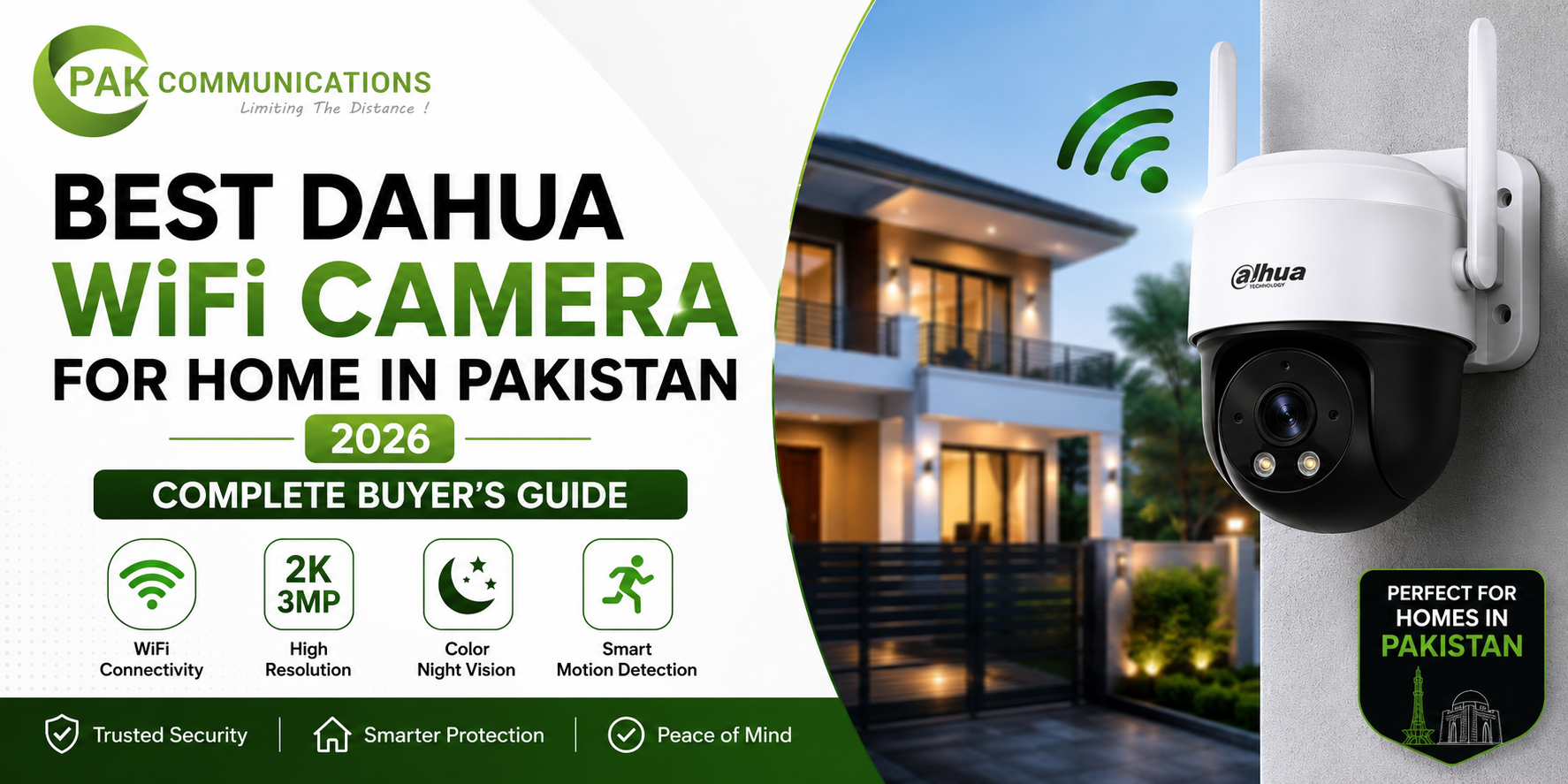
Pakistani homes are increasingly switching to WiFi cameras for security, and there are practical reasons behind this shift. Traditional wired CCTV requires extensive cabling, drilling through walls, and professional installation that can take days to complete properly. WiFi cameras eliminate most of this complexity. The best Dahua WiFi camera for home Pakistan offers today delivers reliable surveillance without the cabling headaches, fits perfectly in apartments where drilling is restricted, works for renters who can’t make permanent modifications, and integrates with the smartphone-centric lifestyle most Pakistani families now have. For many home buyers, WiFi cameras have become the default choice rather than the budget alternative they once were.
The challenge most Pakistani buyers face isn’t whether to choose WiFi cameras. It’s understanding which specific Dahua model fits their home, how to set it up properly, what features genuinely matter for home use, and how to avoid the common mistakes that lead to unreliable wireless systems. Generic CCTV blogs treat WiFi cameras as just another product category, but the reality is that WiFi camera selection involves specific considerations that don’t apply to wired systems: router capabilities, WiFi range, signal stability, smart home integration, and the actual indoor versus outdoor durability that wireless cameras need to deliver. You can browse the complete range of Dahua wireless cameras In Pakistan directly to see all available models while reviewing the WiFi-specific guidance below.
This guide covers everything Pakistani home buyers need to know about WiFi cameras: why they’re increasingly the right choice for modern homes, the different types available and what each is best for, the features that genuinely matter when comparing models, our top 5 picks for Pakistani homes, step-by-step setup instructions, honest WiFi vs wired comparison, current pricing tiers, and the common mistakes that cost first-time buyers money. Whether you’re outfitting a small flat, a standard family home, a rental property, or you’re a renter looking for security without permanent installation, you’ll find specific guidance for your situation.
Why Pakistani Homes are Switching to WiFi Cameras
Traditional wired CCTV has dominated Pakistani home security for years, but the limitations of wired systems are becoming clearer as Pakistani lifestyles evolve. Understanding why WiFi cameras are gaining popularity helps you decide whether this format fits your specific situation.
Cabling Complexity in Finished Homes
For homes already built and finished, running wired CCTV cables involves significant disruption: drilling through walls, running cables along ceilings or through ducts, hiding the wiring properly for aesthetic reasons, and often requiring professional electrical work. For a typical 4-bedroom Pakistani house, professional wired installation can take 1 to 3 days and significantly affects living arrangements during the process.
WiFi cameras eliminate most of this complexity. Installation typically takes under 2 hours for a 4-camera setup. No major drilling through walls, no ceiling cable runs, no extensive professional installation work. The result is a complete CCTV system without disrupting your home’s appearance or routines.
Apartment and Rental Property Restrictions
Pakistani apartments and rental properties often have restrictions on permanent modifications like drilling through walls or installing extensive wiring. Building management may prohibit major installations, security deposits may be affected by visible cable runs, and the property owner may need to approve installations.
WiFi cameras work around all these restrictions. Battery-powered WiFi cameras require no installation work at all (just place and mount with adhesive or temporary brackets). AC-powered WiFi cameras need only a single plug into an existing wall outlet. Pan-tilt indoor cameras can sit on shelves or be temporarily mounted. None of these require permanent property modifications.
For Pakistani renters specifically, WiFi cameras solve a genuine problem: how to maintain home security when you can’t drill, run cables, or make permanent installations. This benefit alone makes WiFi cameras the practical choice for the millions of Pakistani families in rental accommodations.
Speed of Installation
Wired CCTV installation typically takes 1 to 3 days for a typical home, requiring professional installers, electricity work, and significant labour cost. WiFi camera installation is dramatically faster. A typical 4-camera home setup with mid-range Dahua WiFi cameras can be:
- Set up by the homeowner in 60 to 90 minutes
- Professionally installed in 2 to 3 hours
- Operational the same day purchased
This speed advantage matters for several scenarios: you need security quickly after moving into a new home, you’re hosting an event and need temporary monitoring, you’re testing surveillance before committing to a wired system, or you’re protecting against an immediate security concern.
Smart Home Integration
Modern Pakistani families increasingly want their home security to integrate with their smartphones, smart speakers, voice assistants, and other connected devices. WiFi cameras naturally fit this smart home ecosystem in ways that wired CCTV simply cannot match.
Dahua WiFi cameras support:
- Mobile app monitoring through DMSS app
- Cloud storage with subscription options
- Voice assistant integration on compatible models
- Two-way audio for talking to family or visitors
- AI alerts on mobile devices
- Family sharing for multi-user access
- Privacy mode features
For families where parents work, children study, and the home is accessed at various times, this connected functionality makes WiFi cameras the practical choice for modern Pakistani lifestyles.
Mobile-First Lifestyle Compatibility
Pakistanis increasingly use smartphones for everything: banking, shopping, work, entertainment, communication. Home security should match this lifestyle. WiFi cameras with proper mobile app integration (like Dahua’s DMSS app) deliver surveillance management that fits naturally into smartphone-centric routines.
You can check on your home while at work in Karachi, while travelling for business in Lahore, while visiting family in Islamabad, or while shopping at Hyderi Market. The mobile-first design of WiFi cameras matches how Pakistani families actually use technology today.
Quick Relocation When Moving Homes
Pakistani families increasingly move homes for work, family, or lifestyle reasons. With wired CCTV, relocating means: removing the existing system (often impossible to fully extract without leaving wall damage), losing significant investment, and starting fresh at the new home with another expensive installation.
With WiFi cameras, the entire system relocates easily. Unplug the cameras, remove temporary mounting, pack them up, and reinstall at the new home in another 1 to 2 hours. The investment travels with you rather than being abandoned when you move.
This portability matters significantly for Pakistani families in transitional life stages: newlyweds, growing families, careers requiring relocation, or anyone not in their permanent home.
Types of Dahua WiFi Cameras Available in Pakistan
Dahua offers several distinct WiFi camera types, each designed for specific use cases and home zones. Understanding these types helps you choose the right cameras for different areas of your home rather than buying one type and trying to make it work everywhere.
For the complete range of WiFi-specific options available in Pakistan, you can explore the Dahua WiFi cameras which includes all current models with detailed specifications.
Indoor WiFi Cameras
Indoor WiFi cameras are designed specifically for inside-home use: living rooms, bedrooms, hallways, kitchens, and other interior zones. They prioritise compact design, clean aesthetics, and features that matter inside the home.
Key Characteristics:
- Compact dome or cube designs
- Optimised for indoor lighting conditions
- Two-way audio for family communication
- Plug-and-play setup
- Limited weatherproofing (not for outdoor use)
- Often include privacy shutter for sensitive areas
Best For:
- Living room family monitoring
- Baby/child monitoring in bedrooms
- Front door interior camera (visible inside the home)
- Stairway or hallway coverage
- Indoor pet monitoring
- Domestic worker monitoring zones
Common Models:
Dahua offers indoor WiFi cameras in 2MP and 4MP resolution tiers. The 2MP models work well for general indoor coverage where high detail isn’t critical. The 4MP models deliver sharper detail for face capture and important indoor zones.
Outdoor WiFi Cameras
Outdoor WiFi cameras are engineered to handle Pakistani weather conditions: heavy rain during monsoons, intense summer heat, dust storms, and varying humidity. They prioritise durability over indoor aesthetic considerations.
Key Characteristics:
- IP65 or IP66 weatherproof rating (essential for Pakistani conditions)
- Bullet or sturdy housing designs
- Extended night vision range
- Built to withstand temperature extremes
- Visible deterrent design
- Robust mounting hardware
Best For:
- Front gate monitoring
- Garden and outdoor zones
- Driveway and parking area coverage
- Boundary wall monitoring
- Outdoor entry points
- Backyard or terrace surveillance
Common Models:
Dahua outdoor WiFi cameras typically come in 4MP and 5MP options with extended night vision capabilities. The bullet design provides visible deterrent effect that wired bullets traditionally offered, but with WiFi simplicity.
Pan-Tilt WiFi Cameras
Pan-tilt WiFi cameras motorise their rotation, allowing remote pointing through the DMSS app. They cover much wider areas than fixed cameras and provide flexible monitoring.
Key Characteristics:
- Motorised 360-degree horizontal rotation
- 90 to 180-degree vertical tilt
- Smartphone app control for manual positioning
- Auto-tracking on premium models
- Preset positions for quick monitoring
- Typically indoor-focused (most outdoor models are wired)
Best For:
- Large indoor spaces requiring wide coverage
- Living room family room coverage
- Multi-purpose room monitoring
- Office room within a home
- Wide indoor space with multiple zones to monitor
- Properties where flexibility matters more than fixed coverage
Why Pan-Tilt Works for Many Homes:
Instead of installing 3 to 4 fixed cameras to cover a large room, one pan-tilt camera covers the same area with remote rotation. For Pakistani homes with open-plan living rooms or multi-purpose spaces, pan-tilt cameras reduce total camera count while maintaining coverage.
Battery-Powered WiFi Cameras
Battery-powered WiFi cameras are completely wireless, with both data (WiFi) and power (battery) requiring no cables. They’re the ultimate plug-and-play option.
Key Characteristics:
- Built-in rechargeable battery (typically 6-month battery life)
- Solar panel accessories available for continuous operation
- Magnetic or adhesive mounting (no permanent installation)
- Smaller form factor than AC-powered models
- Limited features compared to AC-powered options
- Battery life affects functionality (lower frame rate, motion-only recording)
Best For:
- Renters who can’t drill or run cables
- Locations without nearby power outlets
- Outdoor zones where wiring is impractical
- Temporary security needs (events, parties, short-term concerns)
- Properties where you want completely invisible installation
- Vacation homes used part-time
Battery Life Reality:
Battery-powered cameras typically use motion-only recording (rather than continuous) to extend battery life. For homes with high activity (frequent motion), batteries drain faster. Solar panel accessories extend operational time but require sunlight exposure.
For most Pakistani buyers, battery-powered cameras work well as supplementary cameras rather than primary surveillance.
AC-Powered WiFi Cameras
AC-powered WiFi cameras plug into wall outlets for continuous power, with WiFi handling the data connection. These offer the best balance of capability and convenience for most home installations.
Key Characteristics:
- Continuous power without battery drain concerns
- Higher resolution capabilities (4MP and 5MP)
- More features (continuous recording, advanced AI)
- Better night vision than battery models
- Standard 24/7 operation
- Requires nearby power outlet for installation
Best For:
- Indoor zones where wall outlets are accessible
- Wherever continuous high-quality recording is preferred
- Primary surveillance cameras in homes
- Areas where battery limitations would compromise security
Why AC-Powered is Often the Right Choice:
For Pakistani homes with electrical outlets in most rooms, AC-powered WiFi cameras provide superior functionality with minimal installation complexity. The single power cable to an existing outlet is far simpler than running power cables back to a central recorder.
Bullet-Style WiFi Cameras
Bullet-style WiFi cameras prioritise visible deterrent appearance and outdoor durability. They look like traditional CCTV cameras but operate wirelessly.
Key Characteristics:
- Elongated bullet housing for visible appearance
- IP67 weatherproof rating typically
- Extended night vision capabilities
- Designed primarily for outdoor use
- Larger size than indoor WiFi cameras
- Strong mounting hardware
Best For:
- Properties wanting visible deterrent at entry points
- Outdoor boundary monitoring
- Large outdoor zones (driveways, gardens)
- Properties where the “I see you have CCTV” message matters
The visible deterrent value of bullet-style cameras genuinely reduces opportunistic incidents. For homes in higher-risk areas or properties where security awareness is important, visible WiFi bullets provide deterrent value that discreet indoor cameras cannot match.
What Features Matter Most in Dahua WiFi Cameras
Not all WiFi cameras are created equal. The feature differences between models significantly affect both functionality and price. Understanding which features actually matter for home use helps you choose the right camera without overspending or underspending on capabilities you actually need.
Resolution: 2MP vs 4MP vs 5MP
WiFi cameras typically come in three main resolution tiers, and each serves different purposes for home use:
2MP (Full HD 1080p):
- Sufficient for general indoor coverage
- Good face capture at close range (under 5 metres)
- Lower bandwidth consumption on home WiFi
- Most affordable price tier
- Best for: bedrooms, hallways, basic indoor monitoring
4MP:
- Sharper detail than 2MP, especially at distance
- Better face capture from across rooms
- Suitable for outdoor entry points
- Moderate bandwidth consumption
- Best for: living rooms, front gates, important indoor zones
5MP:
- Premium resolution for important zones
- Excellent face capture and detail
- Higher bandwidth requirements
- Best for: front gate critical coverage, important entry points
For most Pakistani homes, 4MP is the sweet spot. It delivers noticeably better image quality than 2MP without the higher cost and bandwidth demands of 5MP.
Night Vision: Basic IR vs Color Night Vision
Night vision capabilities vary significantly between models:
Basic IR (Infrared) Night Vision:
- Standard on all Dahua WiFi cameras
- Produces black-and-white footage in darkness
- Typical range: 10 to 15 metres
- Adequate for most indoor and close-range outdoor use
- Most affordable tier
Color Night Vision (Starlight or similar):
- Premium feature on select Dahua models
- Produces clear color footage in very low light
- Significantly better identification capabilities
- Better for outdoor evening monitoring
- Worth the premium for outdoor entry points
For indoor cameras, basic IR is typically sufficient. For outdoor cameras at critical entry points, the premium for color night vision is often justified by the dramatically better evening footage.
Two-Way Audio Quality
Two-way audio lets you both hear what’s happening near the camera and speak through it. Quality varies significantly between models:
Basic Two-Way Audio:
- Standard on most Dahua WiFi cameras
- Adequate for occasional family communication
- Sufficient for basic intercom-style functionality
- Volume limitations on smaller indoor models
Premium Two-Way Audio:
- Higher quality microphones and speakers
- Better noise cancellation
- Clearer for outdoor environments
- Suitable for security communication (warning intruders, talking to delivery personnel)
For Pakistani homes, two-way audio enables several practical scenarios: speaking to children at home from work, communicating with domestic workers, warning suspicious activity, or simply checking in on family members.
Motion Detection: Basic vs AI-Powered
Motion detection capabilities significantly affect daily usability:
Basic Motion Detection:
- Detects any movement in the camera view
- Sends alerts for every motion event
- Includes alerts for environmental factors (lighting changes, animals, weather)
- Can become overwhelming with frequent false alarms
- Standard on entry-level models
AI-Powered Motion Detection (WizSense):
- Distinguishes between people, vehicles, and other motion
- Reduces false alarms dramatically
- Smart notifications only for relevant events
- More usable for daily operation
- Standard on premium models
For Pakistani buyers, the AI motion detection upgrade is genuinely worth the premium. The difference between receiving 50 motion alerts per day (mostly irrelevant) versus 5 important alerts (mostly relevant) dramatically affects whether you’ll actually use the notifications.
Cloud Storage vs SD Card vs Both
Storage options affect how you access recorded footage:
SD Card Storage:
- Local storage in the camera itself (typically up to 256GB)
- No subscription costs
- Risk: card failure or theft of camera means losing footage
- Sufficient for most home buyers
Cloud Storage:
- Footage automatically backed up to internet servers
- Subscription required (monthly or annual)
- Protection against camera theft or damage
- Convenient access from any device
- Higher ongoing cost
Combined Local + Cloud:
- Best of both worlds
- Local recording as primary, cloud as backup
- Higher initial cost (SD card + cloud subscription)
- Most secure approach
For most Pakistani homes, SD card storage is sufficient. Cloud storage adds value when camera theft or property damage is a genuine concern, or when you want access to footage from anywhere without depending on the camera’s local storage.
Mobile App Integration: DMSS Quality
The Dahua Mobile Surveillance System (DMSS) app is how you’ll actually use your WiFi cameras daily. App quality matters significantly:
What to Evaluate:
- App stability and reliability
- Speed of accessing live feeds
- Ease of reviewing recorded footage
- Notification quality and customisation
- Multi-camera management interface
- Battery drain on your smartphone
- Update frequency from Dahua
Why DMSS Quality Matters:
A poorly designed app makes daily camera use frustrating. A well-designed app makes surveillance feel effortless. The DMSS app on Dahua WiFi cameras is well-developed and updated regularly, which is one of the practical advantages of choosing established brand cameras over budget alternatives.
WiFi Range and Stability
WiFi cameras are only useful when they can connect reliably to your home network:
Range Considerations:
- Most WiFi cameras work reliably within 10 to 15 metres of WiFi router
- Concrete walls, especially in older Pakistani homes, significantly reduce range
- Multi-floor homes may need WiFi extenders for upper-floor cameras
- WiFi 5 or WiFi 6 router improves performance with multiple cameras
Stability Considerations:
- Some Dahua WiFi cameras support both 2.4GHz and 5GHz bands
- 2.4GHz has longer range but more interference
- 5GHz has shorter range but faster speeds
- Dual-band cameras automatically select better band
For Pakistani homes with weak or older WiFi infrastructure, the WiFi camera installation may require WiFi router upgrades or extenders. Budget for this when planning your installation.
Power Options: Battery, AC, USB
Power source affects installation flexibility:
AC-Powered (Plug into Wall Outlet):
- Continuous operation
- Best functionality
- Requires nearby power outlet
- Standard for primary cameras
Battery-Powered:
- Completely wireless (no power cables)
- Limited features
- 6-month battery life typical
- Best for renters or hard-to-wire locations
USB-Powered:
- Plug into USB power source (typically from electronics or USB chargers)
- Flexible placement
- Limited to indoor use typically
- Good for desktop or shelf placement
Solar-Powered with Battery Backup:
- Continuous outdoor operation
- Higher cost
- Requires sunlight exposure
- Best for off-grid or distant locations
Weatherproof Rating for Outdoor Models
Outdoor WiFi cameras must handle Pakistani weather conditions:
IP65 Rating:
- Protection against dust and water jets from any direction
- Suitable for sheltered outdoor positions
- Standard on most outdoor Dahua WiFi cameras
IP66 Rating:
- Enhanced protection (more powerful water jets)
- Suitable for fully exposed outdoor positions
- Standard on premium outdoor Dahua WiFi cameras
IP67 Rating:
- Full submersion protection (up to 1 metre depth for 30 minutes)
- Highest protection level
- Premium outdoor Dahua WiFi cameras
For Pakistani monsoons and outdoor positions, always choose IP66 minimum for reliable long-term operation. The price premium over IP65 is small relative to the protection difference.
Smart Alerts and Notifications
Alert customisation affects how useful daily notifications are:
Essential Alert Features:
- Customisable detection zones (alert only for specific camera areas)
- Time-based alert scheduling (different settings for day/night)
- Custom alert types per camera
- Person vs vehicle detection (AI cameras)
- Loitering detection (AI cameras)
- Smart filtering for false alarms
For Pakistani Homes:
The ability to schedule different alert settings for daytime (when you might want fewer alerts) versus nighttime (when you want alerts for any motion) significantly improves daily usability.
Family Sharing and Multi-User Access
Multiple family members may need access to surveillance:
What to Look For:
- Multiple user account creation
- Different permission levels for different family members
- Easy sharing/revocation of access
- Family member notifications setup
- Privacy mode that disables recording in family spaces
For Pakistani joint families and households where multiple adults need surveillance access, multi-user features matter significantly for daily practical use.
Privacy Mode Features
Privacy considerations have become important for modern home cameras:
Privacy Features Available:
- Software privacy mode that disables recording
- Physical privacy shutter (premium models)
- Schedule-based privacy modes
- Family member notification when privacy active
- Encrypted local storage
For Pakistani families wanting visual security without 24/7 recording (especially in private areas), privacy features matter practically. They let you have cameras in family areas without constant surveillance of private moments.
Top 5 Dahua WiFi Cameras for Pakistani Homes
Based on actual deployment patterns across Pakistani homes, these five Dahua WiFi camera models consistently deliver value across different home situations. Each pick serves specific scenarios, and choosing the right one depends on your home type, the specific zones you want to cover, and your priorities (budget, features, flexibility).
For broader home security context including wired CCTV options that some homes may also need, our best Dahua camera for home complete guide covers the full Dahua home camera lineup including both wired and wireless options.
#1: Dahua 2MP Indoor WiFi Camera (Best Entry-Level Indoor Pick)
The Dahua 2MP Indoor WiFi Camera is the entry-level indoor option that delivers reliable surveillance at the most affordable price point. For Pakistani buyers new to WiFi cameras or wanting basic indoor coverage without premium tier costs, this is the right starting point.
Key Features:
- 2MP Full HD resolution
- Compact dome or cube design
- Two-way audio for family communication
- Built-in IR night vision (10-15 metres range)
- SD card slot (up to 128GB)
- DMSS mobile app compatibility
- Plug-and-play setup
- Privacy shutter on select models
- AC-powered with wall outlet plug
- Multi-user access support
Why This Works for Most Pakistani Homes:
The 2MP resolution captures adequate detail for typical indoor monitoring needs. The compact design fits naturally in home aesthetics. The price point allows you to start with multiple cameras across the home rather than committing to one premium model. The included SD card storage means no subscription costs to maintain functionality.
Ideal Placements:
- Bedrooms and children’s rooms
- Hallways and corridors
- Kitchen and dining areas
- Living rooms (general coverage)
- Indoor staircases
Best For:
First-time WiFi camera buyers, families wanting affordable comprehensive coverage, renters needing simple installation, anyone starting with home WiFi cameras and planning to upgrade specific zones later.
#2: Dahua 4MP Pan-Tilt WiFi Camera (Best for Wide Indoor Coverage)
For larger indoor spaces requiring flexible coverage, the Dahua 4MP Pan-Tilt WiFi Camera delivers premium capability through motorised rotation. One camera covers what would otherwise require 2 to 3 fixed cameras.
Key Features:
- 4MP resolution for sharper detail
- 360-degree horizontal pan rotation
- 90-degree vertical tilt
- WizSense AI for person and vehicle detection
- Smart preset positions for quick monitoring
- Two-way audio with premium microphone
- Built-in IR night vision (15+ metres range)
- SD card slot (up to 256GB)
- Multi-user access with role-based permissions
- DMSS mobile app integration with PTZ control
- AC-powered with adjustable mounting
Why This Works for Larger Home Spaces:
For homes with large living rooms, open-plan spaces, or multi-purpose areas, pan-tilt cameras provide flexibility that fixed cameras cannot match. The 360-degree rotation through smartphone control means you can monitor different zones from one camera position, dramatically reducing total camera count for the same coverage area.
The AI features filter motion alerts to only relevant events, which makes the camera practical for daily use in busy family homes where regular motion is constant.
Ideal Placements:
- Large living rooms
- Open-plan family areas
- Multi-purpose rooms
- Wide hallway areas
- Open ceiling spaces
Best For:
Families with larger homes wanting comprehensive indoor coverage, anyone needing flexibility for monitoring different zones from one camera, families wanting premium features without premium cost, technical-comfort buyers who appreciate manual rotation control.
#3: Dahua 4MP Outdoor WiFi Bullet (Best for Outdoor Weatherproof Use)
For outdoor entry points, gates, and perimeter monitoring, the Dahua 4MP Outdoor WiFi Bullet delivers professional-grade weatherproof surveillance with visible deterrent design.
Key Features:
- 4MP resolution for sharp face capture
- IP66 weatherproof rating
- Built-in IR night vision (30-40 metres extended range)
- Smart IR with auto-adjustment for varying distances
- WizSense AI for filtered motion alerts
- Color night vision on premium variants
- HLC (High Light Compensation) for managing entrance lighting
- Two-way audio with weatherproof microphone
- SD card slot (up to 256GB)
- AC-powered with weatherproof cable connection
- Robust mounting hardware for outdoor positioning
Why This Works for Outdoor Home Security:
The IP66 weatherproof rating handles Pakistani monsoons, dust storms, and weather extremes that would damage indoor cameras. The extended night vision range covers larger outdoor zones than indoor cameras can manage. The visible bullet design provides deterrent effect that fixed indoor cameras don’t deliver.
For Pakistani families with gardens, gated front entries, parking areas, or boundary walls, this is the right outdoor WiFi camera choice. The premium over indoor cameras is justified by the durability, range, and outdoor-specific features.
Ideal Placements:
- Front gate monitoring
- Driveway and parking entries
- Garden and outdoor zones
- Boundary wall coverage
- Backyard surveillance
- Outdoor staircase areas
Best For:
Families wanting outdoor entry point security, properties with significant outdoor zones, anyone needing weatherproof reliable outdoor surveillance, families where visible deterrent matters more than discreet appearance.
#4: Dahua 2MP Battery WiFi Camera (Best for Renters and No-Power Locations)
For renters who cannot make permanent installations, locations without easy power access, or temporary security needs, the Dahua 2MP Battery WiFi Camera delivers completely wireless operation.
Key Features:
- 2MP Full HD resolution
- Rechargeable battery (6-month life with motion-only recording)
- Solar panel accessory option
- Magnetic mounting or adhesive options
- IP65 weatherproof rating
- Built-in IR night vision (10-15 metres range)
- Motion-only recording to extend battery life
- SD card slot (up to 128GB)
- DMSS mobile app integration
- Smaller form factor for discreet placement
- No power cable or installation work required
Why This Works for Specific Situations:
For Pakistani renters in apartments where drilling and cable installation are restricted, the Dahua 2MP Battery WiFi Camera is the only practical Dahua surveillance option. No installation work means no property damage and no building management approval needed.
For temporary security needs (events, parties, short-term concerns about specific zones), this camera deploys in 5 minutes and removes equally easily. For locations without nearby power outlets (garages, outbuildings, distant outdoor zones), battery operation provides surveillance where wired cameras can’t reach.
Real Limitations to Know:
Battery life depends on motion frequency. High-activity locations drain batteries faster (sometimes monthly rather than every 6 months). Solar panel accessories help but require sunlight exposure. Continuous recording isn’t typically supported (only motion-triggered). Resolution is limited to 2MP.
Ideal Placements:
- Rental property doorways
- Apartment balconies (where building rules allow)
- Garage and outbuilding monitoring
- Temporary event security
- Hard-to-reach outdoor positions
- Locations without permanent power
Best For:
Renters who can’t drill, families with temporary security needs, properties with no-power-outlet outdoor zones, anyone wanting completely portable surveillance, supplementary security to existing wired or AC-powered WiFi systems.
#5: Dahua 5MP Smart WiFi Camera (Best Premium Pick)
For Pakistani buyers wanting top-tier features and willing to pay the premium for genuinely advanced capabilities, the Dahua 5MP Smart WiFi Camera delivers premium home surveillance.
Key Features:
- 5MP Ultra HD resolution for evidence-grade detail
- Advanced WizSense AI with face recognition
- Person, vehicle, and animal detection
- Smart loitering detection
- Color night vision (Starlight technology)
- Extended IR range (40+ metres)
- Two-way audio with premium microphone and speaker
- IP66 weatherproof rating for outdoor use
- SD card slot (up to 256GB) + cloud storage compatibility
- Multi-user access with comprehensive role-based permissions
- Privacy shutter feature
- Voice assistant integration support
- AC-powered with weatherproof cable connection
- DMSS Pro app integration with advanced features
Why This Works for Premium Home Surveillance:
For Pakistani families wanting the most advanced home WiFi camera available, this model delivers genuinely premium features. The 5MP resolution captures details that 2MP and 4MP cameras simply cannot match. Color night vision delivers identification-quality footage in low light. Face recognition enables automated family member identification and unknown person alerts.
For families serious about home security, premium properties where image quality matters, or technology enthusiasts who appreciate advanced features, this camera delivers what those scenarios require.
Ideal Placements:
- Front gate critical coverage
- Premium home entry points
- High-security zones
- Outdoor monitoring requiring evidence-grade detail
- Properties with significant valuables
Best For:
Premium home buyers, families with serious security concerns, technology-enthusiast Pakistani families, properties where insurance or compliance might value high-resolution footage, anyone wanting the best Dahua WiFi camera available.
Quick Decision Guide
| Your Situation | Recommended Camera |
|---|---|
| First WiFi camera, budget-conscious | Dahua 2MP Indoor WiFi (Pick #1) |
| Large living room, want flexibility | Dahua 4MP Pan-Tilt WiFi (Pick #2) |
| Outdoor entry point/gate | Dahua 4MP Outdoor WiFi Bullet (Pick #3) |
| Renter with no permanent installation | Dahua 2MP Battery WiFi (Pick #4) |
| Premium home surveillance | Dahua 5MP Smart WiFi (Pick #5) |
| Mixed home setup (multiple zones) | Combination of #1 (indoor), #3 (outdoor), and #5 (premium) |
Dahua WiFi Camera Setup Guide for Beginners
The biggest advantage of Dahua WiFi cameras is straightforward setup that homeowners can complete themselves without professional installers. Here’s a step-by-step guide that takes you from unboxing to operational camera in approximately 60 to 90 minutes for a single camera, less for additional cameras.
Step 1: Unbox and Check Components
When you receive your Dahua WiFi camera, verify the box contains:
- The camera unit
- AC power adapter (or battery if battery-powered model)
- Mounting hardware (bracket, screws, anchors)
- Quick setup guide
- WiFi setup information card (some models)
- USB cable for setup connectivity
If anything is missing, contact your authorised dealer immediately. Dahua products from authorised dealers always include complete components. Missing items often indicate refurbished or grey market products.
Step 2: Install DMSS Mobile App
Before powering on the camera, install the Dahua Mobile Surveillance System (DMSS) app on your smartphone:
- For iOS: Search “DMSS” in the App Store
- For Android: Search “DMSS” in Google Play Store
- Verify the developer is “ZHEJIANG DAHUA TECHNOLOGY”
- Install the latest version
- Create an account using your email and phone number
- Enable necessary permissions when prompted
For families wanting multiple users to access cameras, each family member should install DMSS and create their own account. You’ll add them as authorised users after camera setup.
Step 3: Power On the Camera
For AC-powered cameras:
- Connect the AC power adapter to the camera
- Plug the adapter into a wall outlet
- Wait for the camera to power on (usually 30 to 60 seconds)
- Look for LED indicator showing the camera is ready for setup
- Different colored LEDs indicate different states (refer to your model’s manual)
For battery-powered cameras:
- Charge the battery fully before first use (typically 4-6 hours)
- Insert the charged battery into the camera
- Press the power button
- Wait for LED indicator showing the camera is ready
For solar-powered cameras with battery backup:
- Initial battery charge required as above
- Then mount the solar panel to ensure continuous charging
Step 4: Connect Camera to WiFi Network
This step varies slightly based on camera model and current DMSS app version:
Method 1: QR Code Setup (Most Common):
- Open DMSS app and tap “Add Device”
- Select “Add by Scan” or “QR Code Setup”
- Use the app to scan the QR code on the camera body
- Enter your home WiFi network name (SSID)
- Enter your WiFi password
- Wait for camera connection (1 to 3 minutes typically)
- Confirm successful connection
Method 2: WiFi Direct Setup (Older Models):
- Open phone settings and connect to camera’s temporary WiFi (usually camera serial number)
- Open DMSS app and select “Add Device”
- Choose “WiFi Direct” option
- Enter your home WiFi credentials
- Wait for camera to connect to home WiFi
- Camera switches to home WiFi and is added to DMSS app
Method 3: WPS Setup (Some Models):
- Power on the camera near WiFi router
- Press WPS button on router
- Press WPS button on camera within 60 seconds
- Wait for connection
- Add the connected camera to DMSS app
If the camera fails to connect, common issues include:
- WiFi network is 5GHz only (some cameras only support 2.4GHz)
- WiFi network has special characters in password
- Camera is too far from router during setup (set up close to router first)
- WiFi router security is incompatible (very rare with modern routers)
Step 5: Add Camera to DMSS App
After WiFi connection succeeds:
- The camera appears in your DMSS app device list
- Verify camera is showing “Online” status
- Test live view (tap camera to see live feed)
- Verify two-way audio if needed
- Check that recording is enabled
Step 6: Configure Motion Detection Zones
Default motion detection often triggers on irrelevant areas. Customise for better results:
- Open the camera in DMSS app
- Access “Motion Detection” or “Smart Alerts” settings
- Define detection zones (rectangle drawing on the camera view)
- Exclude areas with frequent motion (windows showing trees blowing, animals)
- Include critical zones (doors, key areas)
- Save settings
Step 7: Set Up Notifications
Configure smart notifications to receive only useful alerts:
- Open “Notifications” or “Push Settings” in DMSS app
- Enable notifications for the camera
- Choose alert types (motion, person detection, vehicle detection)
- Set quiet hours if you don’t want night-time notifications
- Customise notification sounds
- Test by waving in front of camera
Step 8: Test Camera Positioning
Before final mounting, test the camera’s actual position effectiveness:
- Place camera at intended mounting location
- Check live view through DMSS app
- Verify the camera covers desired zones
- Test face capture distance
- Check for glare or obstruction issues
- Verify night vision range
Adjust position as needed before mounting permanently.
Step 9: Mount the Camera Properly
Final mounting steps:
- Use included mounting bracket
- For drywall: use wall anchors for secure mounting
- For concrete walls: pre-drill holes for screws
- For renters with magnetic mounts: ensure metal surface for adhesion
- Tighten all screws securely
- Recheck camera positioning after mounting
- Adjust angle if needed
Step 10: Verify Everything Works
Final verification before considering setup complete:
- Confirm live feed works in DMSS app
- Test recording (look at saved footage in app)
- Test motion notifications by walking in detection zone
- Test two-way audio
- Verify night vision works (use camera in dark conditions)
- Share access with family members if needed
- Set up cloud storage subscription if desired
After successful setup, your Dahua WiFi camera is ready for daily use. Most families find the cameras become essential parts of their home security routine within a few days of installation.
WiFi vs Wired CCTV: When Each is the Right Choice
The choice between WiFi and wired CCTV isn’t about which is “better” overall. It’s about which fits your specific situation. Both have legitimate advantages, and the right choice depends on your home, your priorities, and your lifestyle.
WiFi Camera Advantages
Easy Installation:
WiFi cameras can be installed in 1 to 2 hours per camera by homeowners themselves. No drilling through walls, no extensive cabling work, no professional installers required. For most Pakistani homes, this advantage alone justifies the WiFi approach.
Renter-Friendly:
WiFi cameras (especially battery and AC-powered options) can be installed without making permanent property modifications. Renters can deploy comprehensive home surveillance without affecting their security deposit or violating rental agreements.
Mobile-First Design:
Daily camera use through smartphone apps fits Pakistani lifestyles where most family activities are smartphone-centric. WiFi cameras are designed for mobile interaction from the ground up.
Smart Home Integration:
WiFi cameras integrate naturally with smart speakers, voice assistants, and other connected devices. Modern Pakistani families increasingly want this connected functionality.
Quick Relocation:
Moving homes is common for Pakistani families. WiFi cameras relocate easily, protecting your investment when you move. Wired systems are typically abandoned when families relocate.
Lower Per-Camera Setup Cost:
For small homes needing 2 to 4 cameras, WiFi setups often have lower total cost because there’s no need for DVR/NVR, extensive cabling, or professional installation.
WiFi Camera Disadvantages
Network Dependent:
WiFi cameras need reliable WiFi networks to function. Internet outages, WiFi issues, or router problems can take cameras offline. Pakistani homes with unstable internet (particularly during power outages) may face reliability concerns.
Range Limits:
WiFi cameras must be within range of your router for reliable operation. Multi-floor homes or homes with thick walls may need WiFi extenders, adding to total cost.
Per-Camera Cost for Multiple Cameras:
For homes needing 8 or more cameras, the per-camera cost of WiFi cameras is typically higher than wired equivalents. The break-even point is usually around 4 to 6 cameras.
Bandwidth Consumption:
Multiple WiFi cameras streaming simultaneously consume significant home internet bandwidth. For Pakistani homes with basic internet packages, this can affect other internet usage.
Less Suited for Industrial/Commercial:
For commercial properties needing 16+ cameras, wired systems remain more practical and cost-effective.
Wired CCTV Advantages
24/7 Reliability:
Wired CCTV doesn’t depend on WiFi networks. Power outages don’t affect wired systems with UPS backup. Internet issues don’t disconnect cameras from recording.
Lower Per-Camera Cost at Scale:
For setups with 8+ cameras, wired CCTV is typically more cost-effective per camera, especially considering separate DVR/NVR for recording.
Long Cable Distance Options:
Coaxial cabling can run up to 300 metres without signal degradation. CAT6 for IP cameras supports 100 metres. Some properties require these longer distances.
Independent of Network Performance:
Camera quality and reliability don’t depend on home internet or WiFi performance. Surveillance keeps working regardless of network issues.
Professional Appearance:
Properly installed wired CCTV with clean cable management looks more professional and integrated into property aesthetics than visible WiFi cameras.
Wired CCTV Disadvantages
Complex Installation:
Wired systems require professional installation, taking 1 to 3 days for typical homes. Drilling through walls, running cables, and connecting components is more involved than WiFi setup.
Not Renter-Friendly:
Major modifications required for wired installation aren’t practical for rental properties. Renters typically can’t make these installations.
Investment Stays with Property:
Wired cameras are difficult to relocate. Most installations are essentially permanent investments tied to the property.
Higher Initial Investment:
For small homes (2-4 cameras), the total initial cost of wired systems (cameras + DVR/NVR + cabling + installation) can exceed equivalent WiFi setups.
Decision Framework: When to Choose Which
Choose WiFi Cameras If:
- You’re renting and can’t make permanent installations
- You want quick installation without professional services
- You have a smartphone-centric lifestyle
- Your home is 4 cameras or fewer
- You may relocate within a few years
- You prioritise smart home integration
- You’re new to home CCTV and want simple setup
Choose Wired CCTV If:
- You own your home and want permanent infrastructure
- You need 8 or more cameras
- You have unreliable WiFi or internet
- Long cable distances are required
- You want 24/7 reliability regardless of network
- You’re protecting property where wired professional appearance matters
- You’re comfortable with multi-day installation processes
Choose Hybrid (WiFi + Wired) If:
- You want quick deployment of some cameras while planning others
- You need both indoor (WiFi convenient) and outdoor (wired reliable) coverage
- You’re testing surveillance before committing to permanent installation
- Your home has zones suited to different camera types
For most Pakistani homes with 4 or fewer cameras, WiFi cameras genuinely deliver better value and lifestyle fit than equivalent wired systems. For homes needing 8+ cameras, wired systems remain more practical. For homes in between, evaluate your specific situation against the framework above.
Dahua WiFi Camera Price in Pakistan (2026)
Understanding Dahua WiFi camera pricing helps you set realistic budgets and identify which models fit your situation. The pricing tiers reflect both feature differences and the actual value delivered for different home scenarios.
Entry-Level: Dahua 2MP Indoor WiFi (Pick #1)
The most affordable Dahua WiFi camera tier. The 2MP indoor WiFi camera is positioned at the entry-level price point in the Dahua wireless lineup, making it accessible for first-time buyers and families wanting affordable basic coverage. The 2MP resolution, compact design, and standard features deliver functional indoor surveillance without premium pricing. Pakistani buyers in this tier typically purchase 1 to 3 cameras initially based on their home size.
Mid-Range: Dahua 4MP Pan-Tilt WiFi (Pick #2)
The mid-range pricing tier represents the sweet spot for many Pakistani homes. The 4MP resolution, pan-tilt motorisation, and AI features deliver substantially better functionality than the entry-level tier. The pricing premium over basic models is justified by the wider coverage one pan-tilt camera provides (replacing 2-3 fixed cameras) and the better daily usability from AI filtering. Most Pakistani families needing flexible indoor coverage choose this tier.
Outdoor Tier: Dahua 4MP Outdoor WiFi Bullet (Pick #3)
Outdoor weatherproof WiFi cameras command a premium over indoor equivalents. The Dahua 4MP Outdoor WiFi Bullet pricing reflects the IP66 weatherproof rating, extended night vision range, and outdoor-specific durability that indoor cameras don’t include. For Pakistani families needing outdoor entry point security, this tier delivers the functionality required.
Battery Tier: Dahua 2MP Battery WiFi (Pick #4)
Battery-powered WiFi cameras typically cost more than equivalent AC-powered models because of the battery technology and engineering required for wireless power operation. The Dahua 2MP Battery WiFi pricing reflects this convenience premium. For renters and specific use cases where this is the only practical option, the additional cost is justified by the deployment flexibility.
Premium Tier: Dahua 5MP Smart WiFi (Pick #5)
The premium tier represents Dahua’s top-end home WiFi camera offering. The 5MP resolution, advanced AI features, color night vision, and comprehensive feature set deliver capabilities significantly beyond mid-range models. The premium pricing is justified for buyers wanting the best available home WiFi camera with serious commitment to home security.
What Affects WiFi Camera Price
Several factors determine the final price you’ll pay:
Resolution:
Higher resolution cameras (4MP, 5MP) cost more than 2MP cameras. The difference reflects better processors, lenses, and image sensors.
Indoor vs Outdoor:
Outdoor cameras with IP65/IP66/IP67 weatherproof ratings cost more than indoor cameras with similar features.
AI Features:
WizSense AI, face recognition, and other smart features add cost relative to basic motion detection.
Battery vs AC Powered:
Battery technology and wireless power engineering add cost compared to AC-powered equivalents.
Pan-Tilt Functionality:
Motorised rotation adds mechanical complexity and cost compared to fixed cameras.
Cloud Storage Included:
Some cameras include free cloud storage subscriptions for limited periods, affecting total value.
Brand and Authorised Dealer Pricing:
Authorised dealer pricing (like PAK Communications) reflects genuine new products with full warranty. Grey market alternatives at significantly lower prices typically involve refurbished or non-warranty units.
Realistic Pakistani Buyer Approach
For most Pakistani homes, a sensible budget approach combines different tiers based on zone priority:
Small Home (2-4 cameras):
- 1-2 × Entry-level indoor WiFi cameras for general indoor zones
- 1 × Outdoor WiFi bullet for front entry
- Total budget: Entry tier to mid-range tier
Standard Home (4-6 cameras):
- 2-3 × Mid-range indoor WiFi (pan-tilt or fixed)
- 1-2 × Outdoor WiFi bullet for entry and garden
- 1 × Battery WiFi for specific hard-to-reach zone
- Total budget: Mid-range tier predominantly
Premium Home (6-8 cameras):
- 1-2 × Premium 5MP Smart WiFi for critical zones
- 3-4 × Mid-range pan-tilt or fixed for general indoor coverage
- 2-3 × Outdoor WiFi bullet for comprehensive outdoor coverage
- Total budget: Mix of premium and mid-range tiers
For accurate current pricing, contact authorised dealers directly. Grey market sellers often advertise dramatically lower prices that involve refurbished or non-warranty products.
Common WiFi Camera Mistakes Pakistani Buyers Make
After helping hundreds of Pakistani buyers with WiFi camera selection and installation over the years, the same five mistakes appear repeatedly. Avoiding these significantly improves the value you get from your investment.
Mistake 1: Weak WiFi Router Not Handling Multiple Cameras
Many Pakistani homes have basic WiFi routers designed for typical internet browsing and streaming. Adding 4 to 6 WiFi cameras significantly increases network demand. Common consequences include:
- Cameras frequently disconnecting from WiFi
- Slow live feed loading times
- Recorded footage gaps when network drops
- Other home devices experiencing slow internet
- Frustrating daily use of the surveillance system
The Solution:
Before installing multiple WiFi cameras, evaluate your router. For 4+ WiFi cameras, you typically need:
- WiFi 5 (802.11ac) or WiFi 6 (802.11ax) router
- Dual-band capability (2.4GHz + 5GHz)
- Adequate bandwidth for all your cameras
- Strong signal coverage throughout the home
If your existing router is older or limited, factor router upgrade into your CCTV investment. The router cost is small relative to the camera investment but dramatically affects daily usability.
Mistake 2: Buying Indoor Camera for Outdoor Use
Indoor WiFi cameras work well for their intended purpose: indoor monitoring with limited weather exposure. Using indoor cameras outdoors fails predictably:
- Karachi monsoons saturate indoor camera housings
- Lahore summer heat damages internal electronics
- Dust storms penetrate indoor camera ventilation
- Salt-air in coastal areas corrodes indoor camera mounts
- Cameras fail within 6 to 18 months instead of 5+ years
The Solution:
Always match camera weatherproof rating to actual installation environment:
- Indoor cameras: Use only for indoor protected locations
- IP65 rated: Suitable for sheltered outdoor positions
- IP66 rated: Suitable for fully exposed outdoor positions (standard for outdoor)
- IP67 rated: Premium outdoor protection
The price difference between indoor and outdoor cameras is meaningful but small relative to the durability difference. Always specify outdoor-rated cameras for outdoor positions, even if budget pressure suggests using cheaper indoor models.
Mistake 3: Skipping SD Card AND Cloud Storage (No Recording Backup)
Some buyers install WiFi cameras planning to “only use live view” without investing in storage. This approach fails when actual incidents happen and there’s no recording to review.
The Solution:
Always plan for recording backup. Options include:
- SD card storage in each camera (most affordable approach)
- Cloud storage subscription (monthly cost but protected against camera theft)
- Combined SD card + cloud (best protection but higher total cost)
The cost of SD card storage is small compared to the value of having recorded footage when you actually need it. Don’t compromise on this.
Mistake 4: Mounting Too Far from WiFi Router (Signal Drops)
WiFi cameras only work reliably within range of your router. Some buyers underestimate range limitations and mount cameras at maximum distance, then face constant signal drops.
The Solution:
For each WiFi camera location, verify:
- Signal strength at the camera location (use a phone to check WiFi signal there)
- No major obstructions between router and camera (concrete walls especially)
- Distance under 15 metres if possible
- WiFi 5GHz signal strength (better through walls than 2.4GHz)
For longer distances or weak signal locations:
- Use WiFi extenders to improve signal
- Consider mesh WiFi systems for whole-home coverage
- Choose camera locations close to router when possible
- Budget for additional WiFi infrastructure if needed
Mistake 5: Not Changing Default Camera Password (Security Risk)
WiFi cameras come with default passwords that are often well-known online. Many buyers install cameras without changing the default password, creating a serious security vulnerability.
The Solution:
Immediately after camera setup:
- Change the default admin password to something strong and unique
- Use a different password for each camera
- Enable two-factor authentication where available
- Update camera firmware regularly
- Change passwords periodically (every 6 to 12 months)
The few minutes spent on password security prevents the genuinely serious risk of unauthorised access to your home cameras. This isn’t optional. It’s essential.
The Common Thread Behind These Mistakes
Every one of these mistakes comes from the same impulse: trying to save time or money in places where the cost of the mistake is greater than the savings. WiFi cameras are convenient and easy to install, but they still require thoughtful selection, proper setup, adequate infrastructure, and reasonable security practices.
The smart approach: invest the small additional cost and time upfront to do it right, then enjoy reliable surveillance for years. Cutting corners in these areas leads to systems that don’t work when you need them.
Frequently Asked Questions About Dahua WiFi Cameras
Q1. What is the best Dahua WiFi camera for home in Pakistan?
For most Pakistani homes, the Dahua 4MP Pan-Tilt WiFi Camera delivers the best balance of features and value. It provides flexible indoor coverage, AI motion detection, two-way audio, and excellent night vision. For renters, the Dahua 2MP Battery WiFi works best because it requires no installation. For outdoor entry points, the Dahua 4MP Outdoor WiFi Bullet is the right choice. Match the camera to your specific home zone rather than choosing one camera for everywhere.
Q2. Do Dahua WiFi cameras work without internet?
Dahua WiFi cameras require WiFi network connection to function. Without internet, the cameras can still record locally to SD cards if installed, and live viewing works on devices connected to the same WiFi network. However, remote viewing through DMSS mobile app, cloud storage, and smart notifications require internet connectivity. For most Pakistani homes, internet outages briefly affect remote features while local recording continues.
Q3. Can I use Dahua WiFi camera outdoors?
Only Dahua WiFi cameras specifically rated for outdoor use (IP65 or higher weatherproof rating) should be used outdoors. Indoor WiFi cameras will fail when exposed to Pakistani weather conditions like monsoons, heat, dust, and humidity. The Dahua 4MP Outdoor WiFi Bullet and similar IP66-rated outdoor models are designed for Pakistani outdoor conditions. Using indoor cameras outdoors typically results in failure within 6 to 18 months.
Q4. How far can Dahua WiFi camera be from router?
For reliable operation, keep Dahua WiFi cameras within 10 to 15 metres of your router with clear signal path. Concrete walls, particularly in older Pakistani homes, significantly reduce effective range. For multi-floor homes or longer distances, WiFi extenders or mesh WiFi systems improve coverage. Always test signal strength at intended camera locations before mounting to ensure stable WiFi connectivity for daily operation.
Q5. Do Dahua WiFi cameras record continuously?
This depends on the specific camera model and power configuration. AC-powered Dahua WiFi cameras typically support continuous 24/7 recording when SD card or cloud storage is configured. Battery-powered cameras typically use motion-only recording to extend battery life. For homes wanting comprehensive footage history, AC-powered cameras with SD card storage provide continuous recording. For homes prioritising convenience over continuous coverage, battery cameras with motion-triggered recording work well.
Final Thoughts on Choosing the Right Dahua WiFi Camera for Your Home
Choosing the right Dahua WiFi camera is genuinely about matching the camera to your specific home, lifestyle, and security priorities. A 2MP indoor WiFi camera that’s perfect for a small flat would be inadequate for a 1 kanal house. A 5MP premium camera that’s essential for a security-conscious family would be wasted budget for someone just wanting basic monitoring. The smartest approach is matching the camera to your real situation rather than buying the cheapest option or the most expensive option available.
Quick recap of the picks for different home situations:
- First WiFi camera, budget-conscious: Dahua 2MP Indoor WiFi (entry-level pick)
- Large living room, want flexibility: Dahua 4MP Pan-Tilt WiFi (mid-range, most popular tier)
- Outdoor entry point or gate: Dahua 4MP Outdoor WiFi Bullet (weatherproof outdoor)
- Renter with no installation rights: Dahua 2MP Battery WiFi (truly wireless, no installation)
- Premium home surveillance: Dahua 5MP Smart WiFi (top features, evidence-grade)
- Mixed home setup: Combination of indoor pan-tilt, outdoor bullet, and battery cameras
The biggest mistake we see Pakistani buyers make is choosing WiFi cameras without considering their WiFi infrastructure, then facing constant connectivity issues. The second biggest mistake is using indoor cameras outdoors and watching them fail within 18 months. The third biggest mistake is not changing default passwords and creating security vulnerabilities. All these mistakes are avoidable with the framework provided in this guide.
Get Expert Help for Your WiFi Camera Setup
PAK Communications has installed Dahua WiFi camera systems across Pakistani homes for years, helping families select the right cameras for their specific situations and providing setup assistance for buyers wanting to install themselves. You can discover Dahua smart cameras directly through our website or contact our team for personalised consultation.
Reach us through:
Call: (021) 4832293-4 (Mon to Sat, 9:30 AM to 6:30 PM)
WhatsApp: 0341-2574866 (faster response, share home details if helpful)
Email: info@pakcommunications.com
Visit: Suite #08, 4th Floor, Dar-ul-Furqan Building, Gulshan-e-Iqbal Block 13-B, Main University Road, Karachi
For Karachi home buyers, we offer free DMSS app setup assistance and WiFi camera consultation. Our team helps you select the right cameras for your specific home, recommends WiFi infrastructure improvements if needed, walks you through installation, and provides ongoing support for app configuration and feature optimisation.
Don’t gamble on grey market WiFi cameras that fail within 12 to 18 months. Invest in genuine Dahua products with proper installation and ongoing support, and you’ll have surveillance infrastructure that protects your home reliably for years