

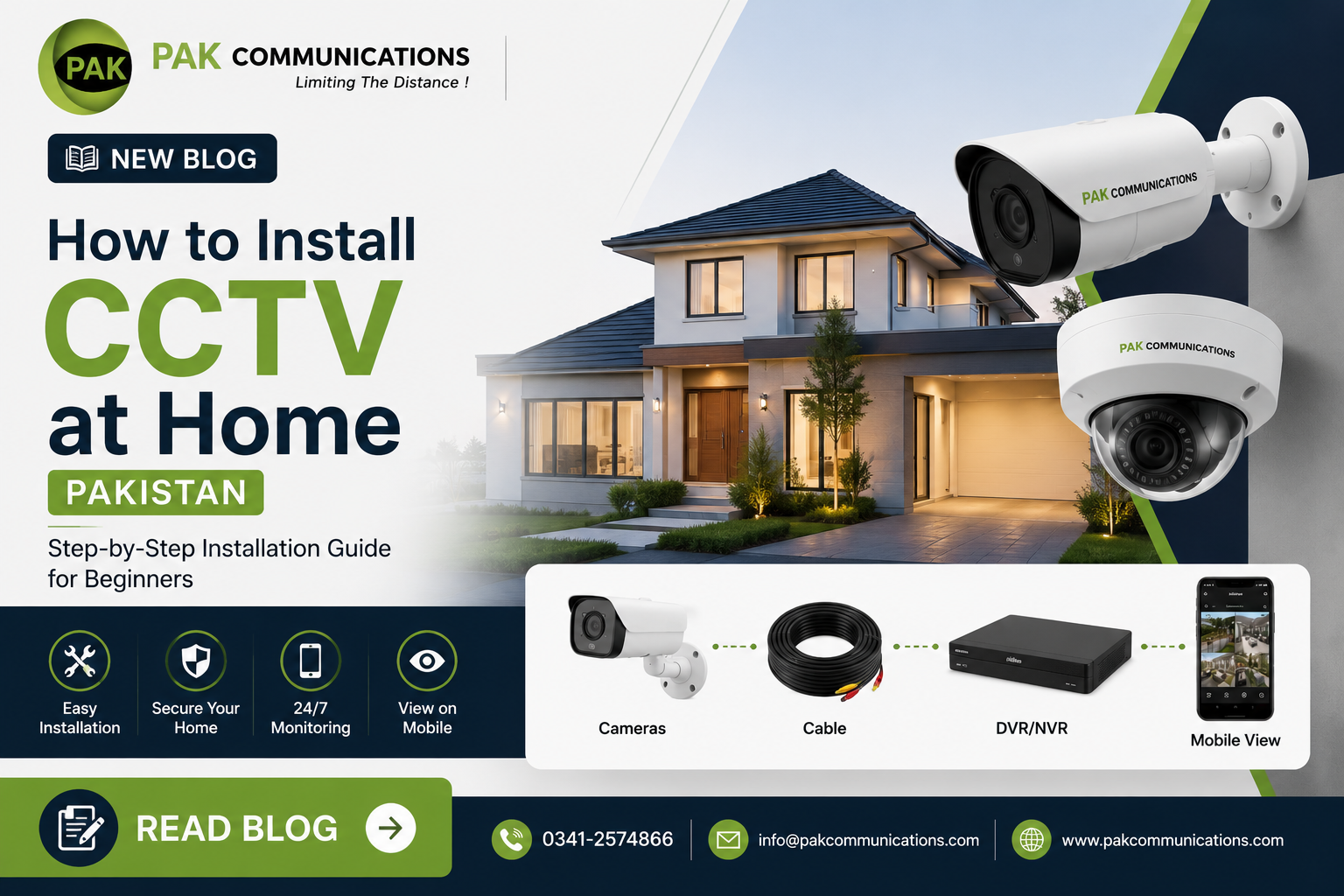
Most Pakistani homeowners who purchase a Dahua CCTV system fall into one of two groups. The first group hands the entire installation to a technician without understanding what a correct installation involves, accepts whatever the technician delivers, and discovers problems only after an incident reveals a blind spot, a poorly aimed camera, or a cable routing that fails during monsoon season. The second group attempts a DIY installation without a clear framework, makes avoidable mistakes in camera positioning, cable routing, or NVR configuration, and ends up with a system that records footage but not the footage that matters.
This guide is written for both groups. For homeowners planning a professional installation, understanding the correct process gives you the knowledge to evaluate your installer’s work before signing off and paying the final bill. For homeowners considering a DIY approach, this guide covers every step in the correct sequence, from planning camera positions to configuring the NVR and setting up remote access via the DMSS app.
A correctly installed Dahua CCTV system at a Pakistani home covers every entry point, eliminates blind spots around the property boundary, stores 30 days of recording on a correctly sized hard drive, continues operating through load shedding on a properly sized UPS, and streams live footage to your phone from anywhere in Pakistan. An incorrectly installed system covers some of these requirements and fails on the others, usually in ways that only become apparent when an incident occurs.
For the full range of Dahua cameras and packages available for home installation in Pakistan, visit Dahua camera installation in Pakistan at PAK Communications before reading further.
Contact PAK Communications:
- Phone: (021) 4832293-4
- WhatsApp: 0341-2574866
- Email: info@pakcommunications.com
- Address: Suite #08, 4th Floor, Dar-ul-Furqan Building, Gulshan-e-Iqbal Block 13-B, Main University Road, Karachi
- Hours: Mon-Sat 9:30 AM – 6:30 PM
Planning Your Dahua CCTV Installation: What to Decide Before You Start
The most expensive CCTV installation mistakes Pakistani homeowners make happen before a single cable is run or a single bracket is drilled. They happen at the planning stage when camera count is underestimated, the wrong technology is chosen for the property’s infrastructure, or the NVR channel count is sized exactly to the initial camera count with no room for future expansion. Thirty minutes of correct planning before installation begins eliminates the most common and most costly post-installation regrets.
Deciding Your Camera Count
Standard Pakistani Home Coverage Requirements
A standard Pakistani residential plot in a housing society requires a minimum of four cameras for complete coverage without meaningful blind spots. The four essential positions are the main entrance gate covering the entry lane and gate approach, the car porch or driveway covering vehicle parking and the approach to the main door, one side passage covering the lateral boundary between your property and the neighboring plot, and the rear of the property covering the back boundary wall or rear entrance.
Properties with a second side passage, a separate servant quarters entrance, a rooftop access point, or a larger plot with extended boundary walls require additional cameras beyond this four-position baseline. Pakistani homeowners in larger housing society plots in DHA, Bahria Town, and similar schemes typically need six to eight cameras for complete coverage without blind spots at any access point.
Counting Coverage Positions Before Buying
Before purchasing any hardware, walk your property and count every position where an unauthorized person could enter or where a security incident could occur without camera coverage. Write down each position, estimate the distance from the nearest practical mounting point to the subject area, and note whether the position is indoor or outdoor. This position list becomes your camera count and your specification baseline for resolution and IR range requirements at each position.
Choosing Between Analog and IP for Pakistani Home Installations
New Installations Starting From Scratch
For Pakistani homeowners installing CCTV for the first time with no existing cable infrastructure, IP cameras on Cat6 network cable connected to a Dahua NVR is the recommended direction for 2026. The resolution ceiling, AI feature availability through WizSense models, remote access through the DMSS app, and long-term system expandability all favor IP for new builds at the cost of a modest premium over equivalent analog hardware.
Upgrading an Existing Analog System
Pakistani homeowners with existing coaxial cable from a previous CCTV installation should evaluate whether to reuse that infrastructure with new Dahua analog cameras or replace it entirely with Cat6 for an IP system. If the coaxial cable is in good condition and the existing routing covers all required positions adequately, upgrading to current Dahua HDCVI analog cameras delivers significantly improved image quality over older analog systems while reusing the full cable infrastructure investment.
NVR and DVR Channel Planning
Always Specify Spare Channels
The single most common NVR planning mistake Pakistani homeowners make is purchasing a recorder with exactly the number of channels their initial camera count requires. A homeowner installing four cameras purchases a four-channel NVR, discovers six months later that they need two additional cameras, and must either purchase a second recorder or replace the existing one entirely. Specifying a recorder with at least four spare channels beyond your initial camera count costs marginally more upfront and eliminates this scenario completely.
Complete Package Planning Before Purchase
For Pakistani homeowners who want a complete pre-specified hardware list before purchasing individual components, reviewing available Dahua CCTV package deals Pakistan gives you a framework for understanding what a correctly assembled complete system includes across different camera count tiers before you approach a supplier for a quote.
Tools and Equipment You Need for Dahua CCTV Installation in Pakistan
A Dahua CCTV installation at a Pakistani home requires a specific set of tools that differ from standard electrical work tools. Pakistani homes are built predominantly from reinforced concrete and brick masonry, which requires heavier drilling equipment than the timber-frame construction common in other countries. Having the correct tools before installation begins prevents the most common mid-installation delays that Pakistani DIY installers experience.
Drilling and Mounting Tools
Hammer Drill and Masonry Bits
A hammer drill is the single most important tool for Pakistani CCTV installation. Standard electric drills without hammer action cannot penetrate the reinforced concrete walls, concrete boundary walls, and brick masonry surfaces that Pakistani residential properties are built from. A hammer drill with masonry bits in 6mm, 8mm, and 10mm sizes covers every drilling requirement in a standard Pakistani home CCTV installation including camera bracket mounting holes, cable entry holes through exterior walls, and conduit fixing holes along wall surfaces.
Wall Plugs and Fixing Screws
Pakistani concrete and brick walls require plastic wall plugs inserted into drilled holes before screws are driven in. Camera mounting brackets fixed directly into concrete without wall plugs work loose over time from camera weight and vibration, particularly on exterior wall positions exposed to wind. Stainless steel or zinc-plated screws resist the rust that standard steel screws develop within one to two monsoon seasons on Pakistani exterior wall positions.
Cable Routing Tools
Cable Conduit and PVC Pipe
Surface-mounted CCTV cable in Pakistani homes requires PVC conduit or pipe to protect the cable run from UV degradation on exterior surfaces, physical damage from tools and equipment, and rodent access in roof void spaces. Pakistani hardware markets in areas like Jodia Bazaar and Lighthouse Market Karachi stock standard PVC conduit in 20mm and 25mm diameters that accommodate single and multiple cable runs respectively.
Fish Tape or Cable Rod
Routing cables through wall cavities, ceiling voids, and existing conduit runs requires a fish tape or flexible cable rod to push or pull cables through concealed spaces. Pakistani homes with cavity brick walls frequently have accessible void spaces between inner and outer wall leaves that allow concealed cable routing between floors and along wall runs without surface-mounted conduit. A fish tape of 10 to 15 meters covers the majority of cable routing requirements in a standard Pakistani residential property.
Termination and Testing Tools
BNC Crimping Tool for Analog Systems
Analog Dahua CCTV installations require BNC connectors crimped onto the coaxial cable ends at the camera and DVR connection points. A BNC crimping tool with the correct die size for RG59 or RG6 coaxial cable terminates these connections correctly. Poorly crimped BNC connectors are the most common cause of image quality problems and intermittent signal loss in Pakistani analog CCTV installations, so correct crimping tool selection is worth attention before beginning the installation.
RJ45 Crimping Tool for IP Systems
IP Dahua CCTV installations require RJ45 connectors crimped onto Cat6 cable ends at camera and NVR or switch connection points. A standard RJ45 crimping tool with a Cat6-compatible die terminates these connections correctly. Pakistani hardware markets stock basic RJ45 crimping tools at accessible price points that are adequate for standard home installation cable counts.
Voltage Tester and Multimeter
A voltage tester confirms power supply output before connecting cameras and prevents damage from incorrect voltage connections. A multimeter tests cable continuity after routing to confirm no breaks or short circuits exist in the cable run before the NVR and cameras are connected. These two tools together catch the most common installation wiring errors before they damage hardware.
How to Choose Camera Positions and Mounting Heights for Pakistani Homes
Camera positioning is the single installation decision that most determines whether a CCTV system delivers usable identification footage when an incident occurs. A correctly specified Dahua camera installed at the wrong height, wrong angle, or wrong position produces footage that misses the critical coverage zone entirely. The guidelines below apply specifically to standard Pakistani residential property layouts and construction types.
The Four Essential Camera Positions for Pakistani Homes
Position One: Main Entrance Gate
The main entrance gate camera is the highest priority position in any Pakistani home CCTV installation. It captures every person and vehicle entering and leaving the property and provides the primary identification footage for any incident involving unauthorized access. Mount this camera above the gate on the boundary wall or gate pillar at a height of two and a half to three meters, angled downward to capture faces at the gate approach distance of one to three meters from the camera position. The camera should face outward toward the street approach rather than inward toward the property, capturing subjects before they enter rather than after.
Position Two: Car Porch and Driveway
The car porch camera covers the vehicle parking area and the approach path between the gate and the main house entrance. Mount this camera on the exterior house wall or on a dedicated bracket at three to four meters height, angled to cover the full driveway length from the gate to the parking position and the main door approach. This camera captures vehicle movement, anyone approaching the main door, and the car porch area where vehicle-related incidents most commonly occur at Pakistani residential properties.
Position Three: Side Passage
Pakistani residential plots with a side passage between the house and the boundary wall require a camera covering this access corridor, which represents a common unauthorized entry route that gate cameras do not cover. Mount a camera at the boundary wall end of the side passage at two and a half to three meters height facing along the passage length. A wide angle dome or turret camera suits this position because the narrow passage width means the full passage is within the camera frame from a single position without requiring precise directional aiming.
Position Four: Rear Boundary and Back Entrance
The rear of the property covering the back boundary wall, rear garden, and any secondary entrance represents the most common blind spot in Pakistani residential CCTV installations that use only two or three cameras. Mount a camera on the rear exterior wall of the house at three to four meters height facing outward toward the rear boundary. Properties with a separate rear entrance gate require a dedicated camera at that gate using the same specification as the main entrance gate position.
Mounting Height Guidelines for Pakistani Homes
Outdoor Camera Mounting Height Range
The correct outdoor camera mounting height for Pakistani residential properties falls between two and a half and four meters depending on the specific position requirement. Below two and a half meters cameras are within reach of tampering and vandalism. Above four meters the downward angle required to capture facial detail at ground level below the camera becomes steep enough to distort face proportions and reduce identification quality. The two and a half to four meter range balances physical security against image geometry for the majority of Pakistani home outdoor positions.
Indoor Camera Mounting Height Range
Indoor cameras in Pakistani homes mount on walls or ceilings at two and a half to three meters height. Pakistani homes with standard ceiling heights of three to three and a half meters allow ceiling mount dome cameras to cover full room areas from a central position. Wall mount cameras in corridors and stairwells should be positioned at two and a half meters height facing along the corridor length for maximum coverage of the full space from a single camera.
Camera Angle and Tilt Adjustment
Avoiding Common Pakistani Positioning Mistakes
The most common camera positioning mistakes at Pakistani residential installations are aiming the gate camera too steeply downward so it captures the top of visitors heads rather than their faces, mounting the car porch camera too high so vehicles obscure the view of people walking alongside them, and pointing the rear boundary camera at the sky rather than at the boundary wall by setting insufficient downward tilt after bracket installation. Each of these mistakes produces footage that looks adequate on the NVR monitor screen during installation but fails to capture usable identification detail when reviewed after an incident.
Testing Camera Angles Before Final Bracket Tightening
Before tightening any camera bracket permanently, have a second person stand at each critical coverage point while you view the camera feed on the NVR monitor. Confirm that a standing adult’s full face is visible in the frame at the primary coverage distance for each position. Adjust the bracket angle until the face is clearly captured before final tightening. This two-minute check per camera position eliminates angle-related footage quality problems that are expensive and disruptive to fix after the installation is complete.
How to Run CCTV Cable Through Pakistani Home Walls and Ceilings
Cable routing is the most physically demanding part of a Dahua CCTV installation at a Pakistani home and the stage where the most permanent decisions are made. A camera bracket can be repositioned. An NVR can be relocated. A cable run concealed inside a wall or routed through a ceiling void is effectively permanent once plaster is applied or ceiling boards are replaced. Getting cable routing right the first time requires understanding the construction type, the cable protection requirements for Pakistani outdoor conditions, and the routing path options available in a standard Pakistani residential property.
Surface Mounted vs Concealed Cable Routing
Surface Mounted Routing in Pakistani Homes
Surface mounted cable routing runs cables along wall and ceiling surfaces inside PVC conduit fixed with cable clips or conduit saddles. This approach is faster than concealed routing, does not require breaking into walls or ceilings, and allows future access to cables for replacement or extension without structural work. Surface mounted routing is the most common approach in Pakistani residential CCTV installations because Pakistani home construction using reinforced concrete makes concealed routing through walls significantly more difficult than in timber-frame construction.
The visual impact of surface mounted conduit varies with the quality of the installation. Neatly routed conduit following wall and ceiling edges with consistent fixing intervals and clean corner bends produces an acceptable finish in utility areas, garages, and exterior wall runs. In interior living areas of Pakistani homes where aesthetics matter, concealed routing through ceiling voids is worth the additional installation effort.
Concealed Routing Through Ceiling Voids
Pakistani homes with flat reinforced concrete roofs typically have a false ceiling or roof void space above interior rooms that provides a concealed cable routing path between camera positions and the NVR location. Cables routed through this void space drop down through small holes drilled at the camera position and at the NVR location, with no visible surface-mounted conduit between the two points. This approach produces a clean installation finish in Pakistani home interiors but requires access to the roof void through an inspection hatch or through the roof itself during installation.
Exterior Wall Cable Routing for Pakistani Construction
Drilling Through Exterior Walls
Every camera position on an exterior Pakistani wall requires a cable entry hole through the wall from outside to inside. Drill this hole at a slight downward angle from inside to outside so any water that enters the hole from outside drains outward rather than inward toward the internal cable run. Seal around the cable at the exterior wall entry point with silicone sealant after cable installation to prevent water ingress during monsoon rainfall and to block rodent entry through the cable hole.
Exterior Cable Protection for Pakistani Conditions
Cables running on exterior wall surfaces in Pakistani installations face UV degradation from intense summer sunlight, water exposure during monsoon season, and rodent damage in areas where rats and mice access boundary walls and roof edges. Use UV-resistant outdoor-grade PVC conduit for all exterior surface-mounted cable runs. Standard indoor PVC conduit becomes brittle and cracks within one to two years of direct Pakistani summer sun exposure, exposing the cable inside to physical damage and water ingress.
Cable Length Planning and NVR Placement
Measuring Cable Runs Before Purchase
Measure every cable run from each camera position to the planned NVR location before purchasing cable. Add 20 percent to each measured length to account for routing around corners, through wall holes, and along ceiling edges rather than in straight lines. Sum all camera cable lengths plus the additional 20 percent buffer and purchase this total length as a minimum. Pakistani homeowners who measure straight-line distances between camera and NVR positions and purchase exactly that length of cable consistently find themselves short during installation.
NVR Placement for Optimal Cable Management
The NVR location in a Pakistani home should be as central as possible relative to all camera positions to minimize individual cable run lengths. A central ground floor location such as a study, a dedicated security cabinet, or a utility room serves most Pakistani residential layouts better than an upstairs bedroom or a remote corner room. The NVR also requires a stable internet connection for DMSS app remote access, so proximity to the home router or a Cat6 run from the router to the NVR location should be factored into NVR placement decisions.
How to Connect Dahua Cameras to Your NVR or DVR
With cameras mounted, brackets tightened, and cables routed to the NVR location, the connection stage is where the physical installation becomes a functioning surveillance system. The connection process differs between IP and analog systems but follows the same logical sequence for both: connect cameras to the recorder, confirm the recorder detects each camera, verify the live image from each channel, and adjust any camera that shows an incorrect angle before finalizing the installation.
Connecting IP Cameras to a Dahua NVR
Direct PoE Connection to NVR Ports
Dahua NVR models with built-in PoE ports accept direct Cat6 cable connections from each IP camera into the numbered PoE ports on the NVR rear panel. Connect each camera’s Cat6 cable to a PoE port using a correctly crimped RJ45 connector at both the camera end and the NVR end. The NVR supplies both power and data over the same cable through the PoE port, eliminating the need for a separate power supply at each camera position. Once connected, the NVR detects the camera automatically on that channel within 30 to 60 seconds and displays the live image on the connected monitor.
Connection via Separate PoE Switch
NVR models without built-in PoE ports or installations where the camera count exceeds the NVR’s built-in PoE port count require a separate PoE switch between the cameras and the NVR. Connect each camera’s Cat6 cable to a numbered port on the PoE switch. Connect the PoE switch to the NVR using a standard Cat6 patch cable between the switch uplink port and the NVR network port. The NVR discovers cameras connected through the switch automatically through its network interface rather than through dedicated PoE channels.
NVR Auto-Discovery of IP Cameras
On your Dahua NVR navigate to Main Menu, then Camera, then Camera List. The NVR scans the connected network and displays discovered Dahua cameras in a list. Select all discovered cameras and click Add to register them to the NVR channel list. Each added camera appears as an active channel on the NVR monitor display. If a camera does not appear in the discovery list, check the Cat6 cable connection at both ends, confirm the PoE port is active, and verify the camera is powered by checking its indicator light status.
Connecting Analog Cameras to a Dahua DVR
BNC Video Connection
Each analog Dahua camera connects to the DVR via a coaxial cable terminated with BNC connectors at both ends. Connect the BNC connector at the camera end to the camera’s video output port and the BNC connector at the DVR end to the numbered video input port corresponding to that camera’s channel. Dahua DVR models label their video input ports as CH1, CH2, and so on across the rear panel. Connect cameras to channels in a logical sequence that matches your intended channel layout on the monitor display to simplify future system management.
Power Connection for Analog Cameras
Analog Dahua cameras require a separate power connection independent of the video coaxial cable unless your installation uses a combined Siamese cable with integrated power conductors. Connect the camera power input to a 12V DC power supply using the appropriate connector. Pakistani homeowners with multiple analog cameras typically use a multi-output 12V DC power distribution box that supplies all cameras from a single regulated power unit rather than individual power adapters per camera, which reduces cable clutter at the DVR location and simplifies UPS integration.
Dahua Analog Camera Range for DVR Systems
For Pakistani homeowners running DVR-based systems who want to browse the full range of compatible analog camera options before finalizing their installation hardware, the complete selection of Dahua analog cameras Pakistan at PAK Communications covers all available analog models across resolution tiers and form factors currently in stock.
Verifying Camera Images After Connection
Checking Each Channel on the NVR Monitor
After all cameras are connected and detected by the NVR or DVR, view each channel individually on the monitor at full screen size to verify image quality, camera angle, and coverage zone. Check that the camera frame includes the intended coverage area without significant portions of sky, ceiling, or irrelevant background occupying more than 20 percent of the frame. Verify that a person standing at the primary coverage zone is clearly visible with facial features distinguishable at the intended identification distance.
Adjusting Camera Angles After Connection Verification
Any camera whose live image reveals an incorrect angle should be adjusted before the installation is considered complete. Loosen the mounting bracket adjustment, reposition the camera to the correct angle while viewing the live feed on the NVR monitor, and retighten the bracket. This connected live-view adjustment is more accurate than pre-connection angle setting because you see exactly what the camera captures rather than estimating based on physical observation of the bracket angle from the ground.
How to Install the Hard Drive and Configure Basic NVR Settings
A Dahua NVR without a hard drive records nothing. The hard drive installation step is frequently overlooked in DIY Pakistani CCTV installations where buyers purchase the NVR and cameras but forget to specify a surveillance-grade hard drive, or install a standard desktop hard drive that fails within months of continuous write operation. Getting the hard drive installation and basic NVR configuration correct before the system goes live ensures your installation records footage from day one at the correct quality and retention settings.
Installing the Hard Drive in a Dahua NVR
Selecting the Correct Hard Drive
Install only surveillance-grade hard drives in Dahua NVR systems. Western Digital Purple and Seagate SkyHawk are the two surveillance-grade hard drive ranges compatible with Dahua NVR systems and available through electronics markets in Karachi including Saddar and Hall Road Lahore. Standard desktop hard drives including WD Blue, WD Green, and Seagate Barracuda are not rated for continuous write operation and fail significantly faster in CCTV recording environments than surveillance-grade alternatives.
Physical Hard Drive Installation Steps
Power off the NVR completely before opening the housing. Remove the NVR top cover by unscrewing the fixing screws on the rear and side panels. Locate the hard drive bay inside the NVR housing. Slide the hard drive into the bay with the connector end facing the NVR motherboard. Connect the SATA data cable between the hard drive and the NVR motherboard SATA port. Connect the power cable from the NVR internal power supply to the hard drive power connector. Secure the hard drive to the bay using the provided fixing screws. Replace the NVR cover and power on the system.
Formatting the Hard Drive on First Use
On first power-on after hard drive installation, the Dahua NVR detects the new drive and prompts for formatting. Navigate to Main Menu, then Storage, then Storage Manager and select the installed hard drive. Click Format and confirm. The formatting process takes one to three minutes depending on drive capacity. The NVR begins recording to the formatted drive immediately after formatting completes.
Basic NVR Configuration for Pakistani Home Installations
Setting Date and Time
Navigate to Main Menu, then System, then General and set the correct date, time, and time zone for Pakistan Standard Time which is UTC plus five. Incorrect date and time settings make recorded footage difficult to use for incident investigation because timestamps do not correspond to actual event times. Pakistani homeowners who set up their NVR without confirming the time zone frequently discover their timestamps are offset by several hours when they first attempt to locate specific footage by time.
Setting Recording Schedule and Mode
Navigate to Main Menu, then Storage, then Schedule to configure the recording schedule for each camera channel. Pakistani homeowners have two practical options: continuous recording which records all footage from all cameras around the clock, and motion-triggered recording which records only when motion is detected in the camera frame. Continuous recording provides the most complete footage record but consumes storage faster. Motion recording extends retention period significantly for Pakistani homes that are unoccupied during working hours when camera activity is minimal.
Confirming Recording Resolution Per Channel
Navigate to Main Menu, then Camera, then Encode to confirm the recording resolution and frame rate for each channel. Dahua NVR systems default to a standard recording profile on first setup but allow per-channel customization. Pakistani homeowners with mixed resolution camera installations, such as 4MP at the gate and 2MP at interior positions, should confirm each channel is recording at its camera’s native resolution rather than a downscaled default profile.
UPS Sizing and Power Planning for Pakistani Home CCTV
A Dahua CCTV system without a correctly sized UPS is a system that stops recording every time the grid power cuts. In Pakistan where load shedding affects every major city on a scheduled or unscheduled basis, an undersized or absent UPS means your system goes dark precisely during the overnight hours when properties are most vulnerable and when the absence of recording creates the largest security gap. Correct UPS sizing is not an optional upgrade for Pakistani CCTV installations. It is a baseline requirement.
Calculating Your UPS Power Requirement
Camera Power Consumption
Each Dahua IP camera running on PoE draws between 6 and 15 watts depending on the model, resolution, and whether IR illuminators are active. Analog cameras running on 12V DC draw between 3 and 8 watts each. For UPS sizing purposes use the higher end of the power consumption range for each camera to ensure the UPS capacity covers worst-case power draw during active IR operation on all cameras simultaneously during a load shedding event at night.
NVR and Switch Power Consumption
A standard Dahua NVR draws between 10 and 25 watts depending on channel count and hard drive activity. A PoE switch adds 10 to 20 watts of base consumption plus the PoE power budget drawn by connected cameras. For a standard Pakistani four to eight camera home installation, total system power consumption including cameras, NVR, and switch falls between 60 and 120 watts under typical operating conditions.
UPS Capacity Calculation for Pakistani Load Shedding
Pakistani urban areas experience load shedding durations ranging from one to four hours per cycle in major cities including Karachi, Lahore, and Islamabad, with longer durations in smaller cities and peri-urban areas. To calculate the minimum UPS capacity for your installation, multiply your total system power consumption in watts by your target backup duration in hours. For a 100-watt system requiring four hours of backup, the calculation produces 400 watt-hours as the minimum UPS energy capacity required.
UPS products are rated in VA (volt-amperes) rather than watts. Convert your watt-hour requirement to VA by dividing by the UPS power factor, typically 0.6 to 0.8 for standard UPS products available in Pakistani electronics markets. A 400 watt-hour requirement divided by a 0.7 power factor produces a minimum UPS VA rating of approximately 570 VA. Rounding up to the nearest available UPS size gives a 600 VA or 800 VA UPS as the correct specification for this example installation.
UPS Placement and Battery Maintenance
UPS Location in Pakistani Homes
Place the UPS in the same location as the NVR, in a well-ventilated indoor space away from direct sunlight and heat sources. Pakistani summer temperatures in rooms without air conditioning regularly exceed 35 to 40 degrees Celsius, which accelerates UPS battery degradation significantly. UPS batteries in Pakistani homes installed in non-air-conditioned utility rooms or outdoor enclosures reach end of useful life significantly faster than UPS batteries maintained in temperature-controlled environments.
UPS Battery Replacement Schedule
Standard UPS lead-acid batteries in Pakistani installations require replacement every two to three years under normal operating conditions. Pakistani UPS batteries subjected to frequent deep discharge during extended load shedding cycles and high ambient temperatures may require replacement after eighteen months of operation. Testing UPS backup runtime annually by disconnecting grid power and timing how long the system runs on battery confirms whether the battery capacity remains adequate for your load shedding backup requirement.
Common Dahua CCTV Installation Mistakes Pakistani Homeowners Make
Every mistake covered below has been made repeatedly across Pakistani residential CCTV installations. None of them require technical expertise to avoid. They require awareness before installation begins rather than discovery after an incident reveals the gap in coverage or the failure in recording. This section serves as a pre-installation checklist for Pakistani homeowners whether they are overseeing a professional installer or handling the installation themselves.
Camera Positioning Mistakes
Pointing the Gate Camera at the Sky
The most common camera positioning mistake across Pakistani residential installations is mounting the gate camera too high on the boundary wall and failing to apply sufficient downward tilt, resulting in footage that captures the tops of heads, the roofs of vehicles, and a large expanse of sky rather than faces and number plates. This mistake produces footage that is completely useless for identification purposes despite the camera operating correctly and recording continuously. Always verify the gate camera captures full facial detail at standing adult height from the gate approach distance before finalizing the bracket position.
Leaving the Rear of the Property Without Coverage
Pakistani homeowners frequently install cameras at the main gate and car porch and consider the installation complete, leaving the rear boundary wall, back garden, and any secondary entrance without camera coverage. Unauthorized entry through rear boundaries is a common pattern in Pakistani residential theft incidents precisely because most properties have front coverage but no rear coverage. A complete Pakistani residential installation addresses every access point including rear boundaries regardless of how infrequently they are used.
Installing Cameras Facing Direct Sunlight
Cameras installed facing east or west in Pakistani cities experience direct sun glare during morning or evening hours that washes out the image completely during those periods. A gate camera facing west in a Karachi residential property produces overexposed unusable footage every afternoon from approximately 3 PM to sunset. Plan camera orientations to face north or south where property layout allows, or specify cameras with wide dynamic range capability that handles direct sunlight without complete image washout.
Cable and Hardware Mistakes
Using Indoor Cable for Outdoor Runs
Standard indoor Cat6 and coaxial cable used on exterior Pakistani wall surfaces degrades rapidly under direct sunlight exposure. The PVC jacket becomes brittle and cracks within one to two Pakistani summers, exposing the internal conductors to moisture ingress during monsoon season. Always specify outdoor-rated UV-resistant cable for any cable run that is exposed to direct sunlight or outdoor weather conditions at any point along its length.
Installing a Standard Desktop Hard Drive
Purchasing a standard desktop hard drive to save cost over a surveillance-grade drive is the most common hardware mistake in Pakistani DIY CCTV installations. Desktop hard drives fail within three to six months of continuous 24-hour write operation in a CCTV recording environment. The replacement cost and data loss from a failed desktop drive eliminates the initial saving many times over. Western Digital Purple and Seagate SkyHawk surveillance-grade drives are the only correct specifications for Dahua NVR installations.
Power and UPS Mistakes
Undersizing the UPS for Pakistani Load Shedding
Pakistani homeowners who purchase a UPS based on its VA rating without calculating their actual system power consumption and target backup duration frequently discover their UPS provides only 30 to 45 minutes of backup rather than the two to four hours their load shedding schedule requires. This leaves the CCTV system dark during the majority of every load shedding event. Always calculate the required UPS capacity using the watt-hour method covered in the previous section before purchasing.
Placing the NVR and UPS in an Unventilated Space
Pakistani homeowners who install their NVR and UPS in a locked cabinet, a small cupboard, or an outdoor enclosure without adequate ventilation subject both devices to significantly elevated operating temperatures that shorten their lifespan. The NVR hard drive and UPS battery are the components most sensitive to heat damage. Install both devices in a ventilated indoor location where ambient temperature does not regularly exceed 35 degrees Celsius for extended periods.
Professional vs DIY Installation: What Pakistani Homeowners Should Know
The DIY vs professional installation decision for a Pakistani home CCTV system comes down to two factors: the complexity of your cable routing requirement and your comfort level with the hardware configuration steps this guide covers. The physical and technical steps in a standard Pakistani residential CCTV installation are achievable for a homeowner with basic DIY skills and the correct tools. The question is whether the time investment and the risk of mistakes justify the labor cost saving over a professional installation.
When DIY Installation Is Realistic for Pakistani Homeowners
Simple Surface Mounted Installations
A four-camera installation with surface-mounted conduit on exterior walls, a centrally located NVR, and short cable runs is a realistic DIY project for a Pakistani homeowner with a hammer drill, basic cable tools, and the patience to follow the steps in this guide sequentially. The physical work is straightforward and the NVR configuration steps are well documented. The main risk in a simple DIY installation is camera positioning errors that only become apparent after the installation is complete.
Complex Installations That Benefit From Professional Help
Installations requiring concealed cable routing through reinforced concrete walls, multi-floor cable runs, or integration with existing electrical infrastructure benefit from professional installation. Pakistani homes with complex layouts, boundary walls requiring cable runs along their full length, or properties where the homeowner wants a completely concealed installation with no visible conduit are better served by an experienced CCTV installer who has the tools and experience to handle these challenges efficiently.
Evaluating a Professional CCTV Installer in Pakistan
What to Ask Before Hiring
Ask any Pakistani CCTV installer to confirm they will use genuine Dahua cameras with original packaging and stamped warranty cards, surveillance-grade hard drives, outdoor-rated cable for all exterior runs, and correctly sized UPS equipment before agreeing to any installation quote. An installer who cannot confirm these specifications or who resists these questions is likely cutting corners on component quality to hit a lower price point. PAK Communications provides professional installation services for Karachi properties with all components sourced from genuine authorized stock.
Frequently Asked Questions
Can I install Dahua CCTV myself at home in Pakistan?
Yes, a standard four-camera Dahua CCTV installation with surface-mounted conduit and a centrally located NVR is achievable for a Pakistani homeowner with basic DIY skills and a hammer drill. The NVR configuration steps are straightforward and well documented. The main risks in a DIY installation are camera positioning errors and incorrect cable specification for outdoor runs. Following the step by step process in this guide eliminates the most common mistakes before they occur rather than discovering them after installation is complete.
How many cameras do I need for my home in Pakistan?
A standard Pakistani residential property requires a minimum of four cameras for complete coverage: main entrance gate, car porch and driveway, one side passage, and rear boundary wall or back entrance. Larger plots in housing societies like DHA and Bahria Town with extended boundary walls, multiple entry points, or separate servant quarters entrances typically need six to eight cameras for complete coverage without blind spots. Count every realistic entry point on your property before purchasing hardware to confirm your actual camera requirement.
What cable should I use for outdoor Dahua CCTV installation in Pakistan?
Use outdoor-rated UV-resistant Cat6 cable for IP camera installations and outdoor-rated UV-resistant coaxial cable for analog installations on all cable runs exposed to direct sunlight or outdoor weather conditions at any point. Standard indoor cable becomes brittle and cracks within one to two Pakistani summers when exposed to direct sunlight, allowing water ingress during monsoon season. Run all exterior cable inside UV-resistant PVC conduit for additional protection against both UV degradation and rodent damage on Pakistani exterior wall surfaces.
How much does Dahua CCTV installation cost in Pakistan?
Dahua CCTV installation cost in Pakistan depends on camera count, cable routing complexity, and component specifications. Professional installation labor in Karachi is typically charged per camera or as a fixed rate for complete system installations. DIY installation eliminates labor cost but requires purchasing the correct tools if you do not already own them. Contact PAK Communications directly for a complete hardware and installation quote for your specific property before comparing costs from other suppliers to ensure you are comparing equivalent genuine component specifications.
How do I connect my Dahua NVR to my phone in Pakistan?
Download the free DMSS app from the Google Play Store on Android or the Apple App Store on iOS. On your Dahua NVR navigate to Main Menu, then Network, then P2P and confirm the P2P status shows Online. In the DMSS app tap the plus icon, select Add Device, and scan the QR code displayed on the NVR P2P screen. Enter your NVR admin password when prompted, name the device, and tap Save. The NVR appears in your app with a green online indicator confirming successful connection.
How long does Dahua CCTV footage store on a home NVR in Pakistan?
Storage duration depends on camera count, resolution, and hard drive size. A four-camera system at 2MP resolution recording continuously on a 2-terabyte surveillance-grade hard drive retains approximately 25 to 30 days of footage before overwriting begins. At 4MP resolution the same hard drive retains approximately 14 to 16 days. Pakistani homeowners wanting 30 days retention at 4MP should specify a 4-terabyte hard drive in their system. Enable motion-triggered recording to extend retention significantly if your property is unoccupied during daytime hours.
Conclusion
Installing a Dahua CCTV system at a Pakistani home correctly requires getting five decisions right in sequence. The planning stage establishes your camera count, technology choice, and NVR channel capacity before any hardware is purchased. The positioning stage places each camera at the correct height and angle to capture identification-quality footage at every access point without blind spots. The cable routing stage protects every cable run from Pakistani outdoor conditions including monsoon rain, summer UV exposure, and rodent damage. The connection and configuration stage ensures every camera feeds correctly into the NVR with the correct resolution, recording schedule, and storage retention period. The power planning stage sizes the UPS correctly for your system’s power consumption and your area’s typical load shedding duration.
Every common mistake this guide covers, the gate camera aimed at the sky, the rear boundary left without coverage, the indoor cable run on an exterior wall, the desktop hard drive in a continuous recording environment, the undersized UPS that fails after thirty minutes of load shedding, shares the same root cause. The mistake was made before installation began because the correct specification was not established at the planning stage. This guide gives Pakistani homeowners the planning framework to avoid every one of these mistakes before a single bracket is drilled or a single cable is run.
A correctly installed Dahua system at a Pakistani home operates reliably for years with minimal maintenance. Surveillance-grade hard drives last three to five years under continuous recording. Correctly specified outdoor cables and conduit survive Pakistan’s monsoon seasons without degradation. A correctly sized UPS maintains recording through load shedding cycles without interruption. The investment in getting the installation right the first time pays for itself every time the system records footage that matters and every time the DMSS app delivers a genuine security alert rather than a false trigger from a poorly positioned camera.
Get Your Dahua CCTV System Installed Correctly in Pakistan
Whether you are planning a DIY installation using this guide or overseeing a professional installer at your Karachi property, PAK Communications is available to advise on the correct hardware specification for your specific home layout before you commit to any purchase. The team can confirm camera count requirements, NVR channel planning, hard drive sizing, UPS capacity calculation, and compatible component combinations for your property before installation begins.
For buyers outside Karachi, PAK Communications delivers complete genuine Dahua hardware packages to Lahore, Islamabad, Rawalpindi, Faisalabad, Multan, Peshawar, and all major Pakistani cities. Every component in every package is sourced through authorized distribution channels with full manufacturer warranty documentation included.
To browse the full range of Dahua cameras, NVR systems, and installation accessories currently in stock before requesting a quote or placing an order, visit Dahua camera shop Pakistan at PAK Communications and confirm the models and components that match your installation requirements before calling or visiting the store.
Contact PAK Communications:
- Phone: (021) 4832293-4
- WhatsApp: 0341-2574866
- Email: info@pakcommunications.com
- Address: Suite #08, 4th Floor, Dar-ul-Furqan Building, Gulshan-e-Iqbal Block 13-B, Main University Road, Karachi
- Hours: Mon-Sat 9:30 AM – 6:30 PM